
A Query Tool That Seems Ordinary
One day, you might come across a message on Instagram, Facebook, or Telegram. The sender claims that by entering a specific Instagram username, they can view that person's direct messages. The interface is usually simple, first asking for the account name, then displaying a loading message, and finally requesting login, authorization, or payment. This process raises questions: Does the displayed content mean the tool is connected to the other person's account? Not necessarily. The content on the screen might just be a pre-designed demo or an illusion created by reordering publicly available data. When websites ask users to enter their Instagram password, verification codes, or credit card information, the true intention may not be to access someone else’s messages, but to collect the visitor's information instead. It's essential to differentiate between two terms that are often confused. A hacker generally refers to someone with technical knowledge of networks, systems, or programming; this term itself does not imply good or bad. Scammers, on the other hand, are individuals whose goal is to deceive, manipulate, or profit unlawfully. Some incidents may involve both technical
Why Direct Messages Are Misunderstood as Accessible
Instagram direct messages are typically not contents displayed on public pages. Ordinary users cannot access another account’s direct messages merely by knowing the username. The so-called "DM checker tools" present risks that focus on login information, third-party authorization, device login status, and social engineering, rather than a miraculous search button. If the account holder themselves enters passwords on a fake site or authorizes third-party services without understanding the content, others might gain partial control of the account. This doesn’t mean that all direct messages are guaranteed to be read or that abnormalities can be traced back to a single source immediately. To understand what has happened, one may still need to check login notifications, account settings, authorized services, and email records. Instagram advises that messages from fake platforms may tempt users to click links under the pretext of account suspension, important notifications, or urgent identity verification. If a user has entered account details on a suspicious page, the official recommendation is to reset the password, log out of unknown devices, and follow the account recovery process
If Someone Has Really Seen Your Direct Messages
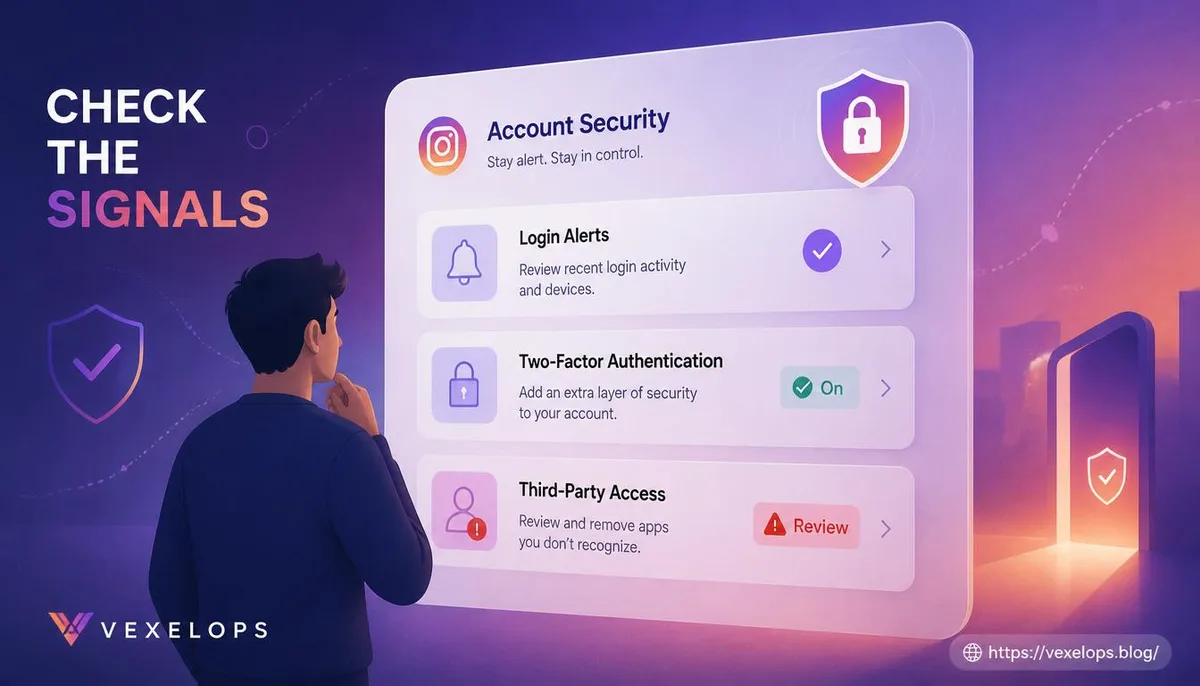
When readers notice messages they did not send appearing, friends receiving odd messages, or notifications of strange logins, they should not immediately assume that a hacker is monitoring them. Possible reasons include unauthorized access to the account, leaked login information, anomalous third-party service permissions, or someone impersonating them using a similar name. The most crucial step is to preserve evidence rather than rush to confront the other party. One can save login notifications, suspicious emails, message timestamps, changes in account screens, payment records, and related URLs. This data may not instantly clarify the situation, but it can help the platform, telecom providers, or law enforcement understand the sequence of events. If access to Instagram is still available, one should check the email, phone numbers, login activity, linked accounts, and third-party apps associated with the account. Instagram officially recommends enabling two-factor authentication and removing unknown linked accounts or suspicious authorizations. If one can no longer log in, a recovery request should be made through Instagram’s official hacked account page, instead of trusting
Why Fake Tools Look Like the Real Thing
These types of websites don't need to genuinely access any direct messages to convince users that they are functioning. They may display progress bars, simulate search results, randomize a few usernames, or prompt the user to complete what seems like a legitimate verification step. These screens exploit the reader’s curiosity about private content, causing them to overlook the actual information that the site is requesting. Common danger signals include the following:
- Requesting input of Instagram password, verification codes, or backup emails.
- Claiming that payment guarantees access to or recovery of data.
- Requesting the download of unknown apps, browser extensions, or files.
- Creating urgency with claims of account deletion, immediate verification, or limited-time offers.
- Requesting that login links or verification codes be forwarded to another person.
Real Instagram notifications will not request that users handle issues privately through unfamiliar accounts just because they refuse to surrender their passwords. Meta’s account recovery resources also advise users to start from official support pages or security settings within the app, rather than following links in suspicious emails or messages.
Common Questions About IG Direct Message Privacy
Can I view someone's direct messages just by knowing their Instagram username?
Ordinary individuals typically cannot directly access another account’s direct messages just by knowing the username. If a website claims that entering a name allows viewing of direct messages, it should be suspected of simulating results, collecting data, or guiding users into subsequent scam processes. Just because the screen shows an account name or loading animation, it should not be assumed that it has already connected to actual messages.
What should I do if I’ve already entered my Instagram password on a suspicious site?
If you can still log in, you should immediately change your password from the official Instagram app or website, and log out of unfamiliar devices. Then check your email, phone number, two-factor authentication, linked accounts, and third-party applications. If unable to log in, you should follow Instagram's official recovery process and save suspicious URLs, screens, and notifications. Do not give new verification codes to someone claiming to be customer service, and do not pay any so-called quick recovery fees.
If my direct messages have been seen by someone else, can I still reduce the impact?
There are still some steps you can take to lower the risks. First, secure your Instagram account and the associated email account, then notify friends or family who might receive abnormal messages to prevent them from believing payment or login requests from your account. If direct messages involve personal data, extortion, money, or threats, you should keep complete records and seek support from the platform, police, or relevant resources. Whether someone has read the messages might not be immediately verifiable, but control of the account and any subsequent risks can still be addressed. If you need help organizing login notifications, suspicious links, account changes, and message timelines, VexelOps can assist you in compiling scattered digital clues into a more understandable event record, though it does not guarantee access to others’ direct messages or promise complete recovery of the account.
One Key Takeaway: As long as a service asks for your password or verification code, it’s not a legitimate direct message viewing tool; protect your account first, before tracing the source of the incident.