

Why Is It Important to Regularly Check Facebook Account?
For many everyday users, Facebook is not just a social platform. It may store years of photos, interactions with friends, message histories, group participations, fan pages, Marketplace activities, and could even be used to log in to other sites or apps. If Facebook account security is not well managed, the impact may go beyond the account itself. Attackers might impersonate you to send fraudulent messages, post suspicious links, join unfamiliar groups, modify personal information, or use your connections to gain others' trust. Additionally, privacy settings on Facebook are crucial. If posts, friend lists, personal details, or past photos are overly public, strangers could more easily understand your life background, relationships, and daily activities. Therefore, everyday users should regularly review their Facebook account security and privacy settings.
First: Ensure Your Password is Secure
Facebook passwords should be unique and not shared with your Email, Instagram, shopping sites, or other platforms. If you have been using the same password across multiple platforms, once one of them is compromised, your Facebook account may be attempted to log in to as well. It is recommended to use a longer and harder-to-guess password, avoiding dates of birth, phone numbers, names, common words, or simple combinations. For important accounts, consider using a password manager to store different passwords across platforms to reduce the risk of reusing passwords. If you are unsure whether your Facebook password has been shared with other platforms, it's advisable to update it once and confirm that your primary email also has a secure password and two-factor authentication activated.
Second: Activate Two-Factor Authentication
Two-factor authentication adds a second layer of protection beyond the password. Even if the password is compromised, the other party may not be able to log into the account directly. Facebook usually supports SMS verification, authentication apps, or other secure methods. For everyday users, at least one form of two-factor authentication should be activated. Using an authentication app is often more suitable for long-term use than relying solely on SMS. After activation, also ensure to save the backup codes to avoid being locked out of your account if you switch phones, lose your phone, or cannot receive verification codes.
Third: Check Login History and Unfamiliar Devices
Facebook allows you to see which devices or locations have logged into your account. You can regularly check the login history to confirm if there are unfamiliar phones, computers, browsers, or unexpected locations. If suspicious logins are discovered, it is recommended to log out unfamiliar devices, change the password, and confirm that two-factor authentication is functioning correctly. Do not just remove the device; if the password has leaked, they might attempt to log in again. Sometimes the login location might not be completely accurate due to network environments, so you should judge based on device names, login times, and your usage habits.
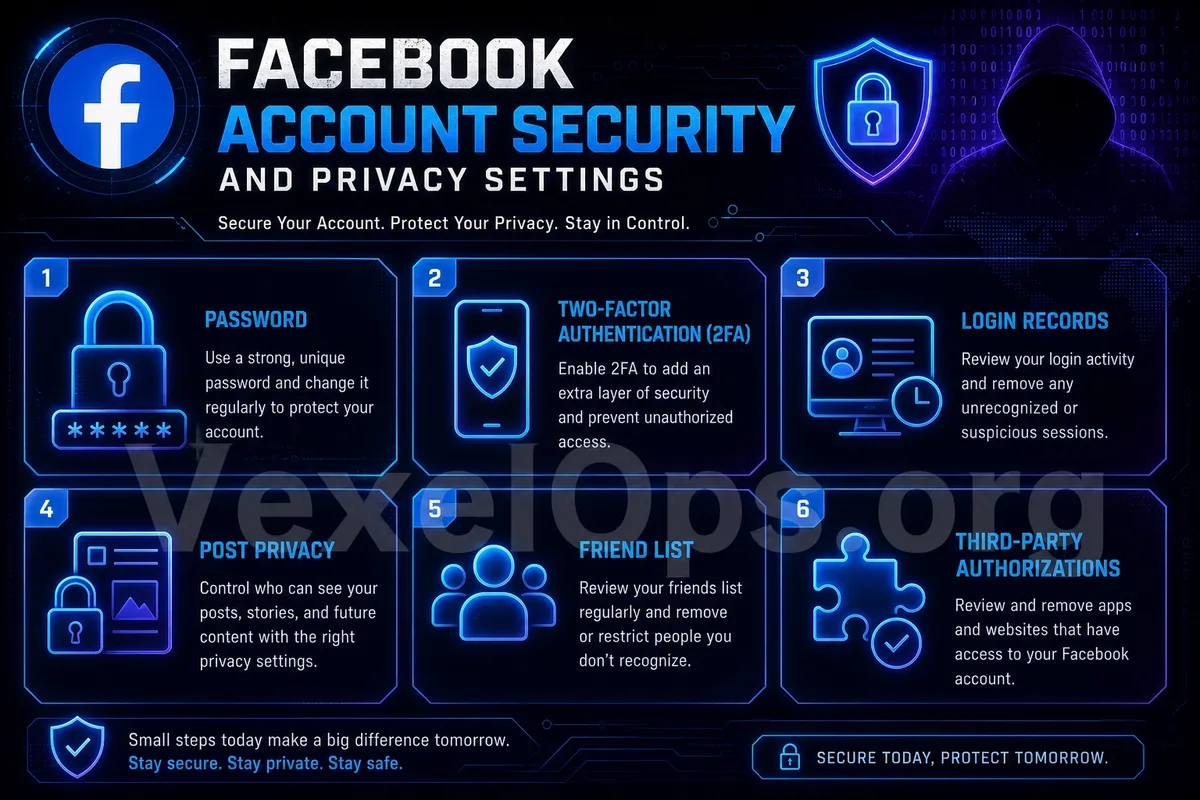
Fourth: Check Post Visibility
Many old posts on Facebook may still be public. These posts could contain life photos, locations, interactions with friends, family information, or past personal statuses. Everyday users can check the visibility of posts to confirm which content is public, visible to friends, or only visible to themselves. For more private content, it is not recommended to keep it publicly available to everyone. It is also advisable to review previous public posts, changing any content you do not want strangers to see to friends-only or restricting visibility.
Fifth: Manage Friend Lists and Personal Information
Friend lists, work details, schools, hometowns, birthdays, and contact information can all influence privacy. If this information is fully public, strangers could more easily piece together your identity background. It is advisable to check what personal information can be seen by strangers. Not all information needs to be public; for instance, complete birthdays, personal phone numbers, emails, residences, and family relationships should be cautiously set.
Sixth: Review Third-Party App and Website Authorizations
Many websites or apps offer the option to 'Log in with Facebook'. While this is convenient, over time, your account may authorize many services that are no longer in use. Regularly checking third-party apps and website authorizations and removing unfamiliar, unused, or suspicious items is recommended. Especially be wary of lottery sites, quiz tools, unfamiliar activity pages, or apps of unclear origin. The more third-party authorizations your account has, the external risks it may be exposed to.
Seventh: Be Wary of Fake Friends and Suspicious Messages
Common risks on Facebook include fake friend requests, fake customer service, fraudulent investment information, suspicious links, and messages sent from compromised friend accounts. If someone suddenly sends investment opportunities, asks for loans, requests help with voting, asks you to click links, or requests verification codes, you should be alert. Even messages coming from known people may indicate their account has been compromised. When encountering suspicious messages, do not click on links, do not provide verification codes, and do not transfer money. Confirm the identity of the sender through other means.
Establish a Facebook Security Check Habit
Maintaining Facebook account security does not necessarily have to be complicated. Everyday users can start with a few key points: updating your unique password, activating two-factor authentication, checking login history, adjusting post visibility, limiting the public nature of personal information, removing unfamiliar third-party authorizations, and being cautious of suspicious messages. The security of social platforms does not solely rely on the platform itself; it also relates to user settings and habits. By regularly checking these items, the risk of account theft, data exposure, and friends falling for scams can be reduced.