Why are Fake Customer Service and Phishing Links Common?
On social media, email, messaging apps, and shopping sites, everyday users frequently encounter seemingly official messages. The sender may claim your account is abnormal, violating rules, needs security verification, or ask you to click a link to restore your account. Such messages are sometimes packaged as "customer service notifications," "security center alerts," "account reviews," or "official events." The real danger lies in that they often exploit the user's anxiety, prompting you to click links, enter account passwords, or even provide verification codes without careful inspection. This is the most common tactic of fake customer service and phishing links: rather than directly attacking your device, they lead you to hand over your information yourself.
First Warning: They Urge Immediate Action
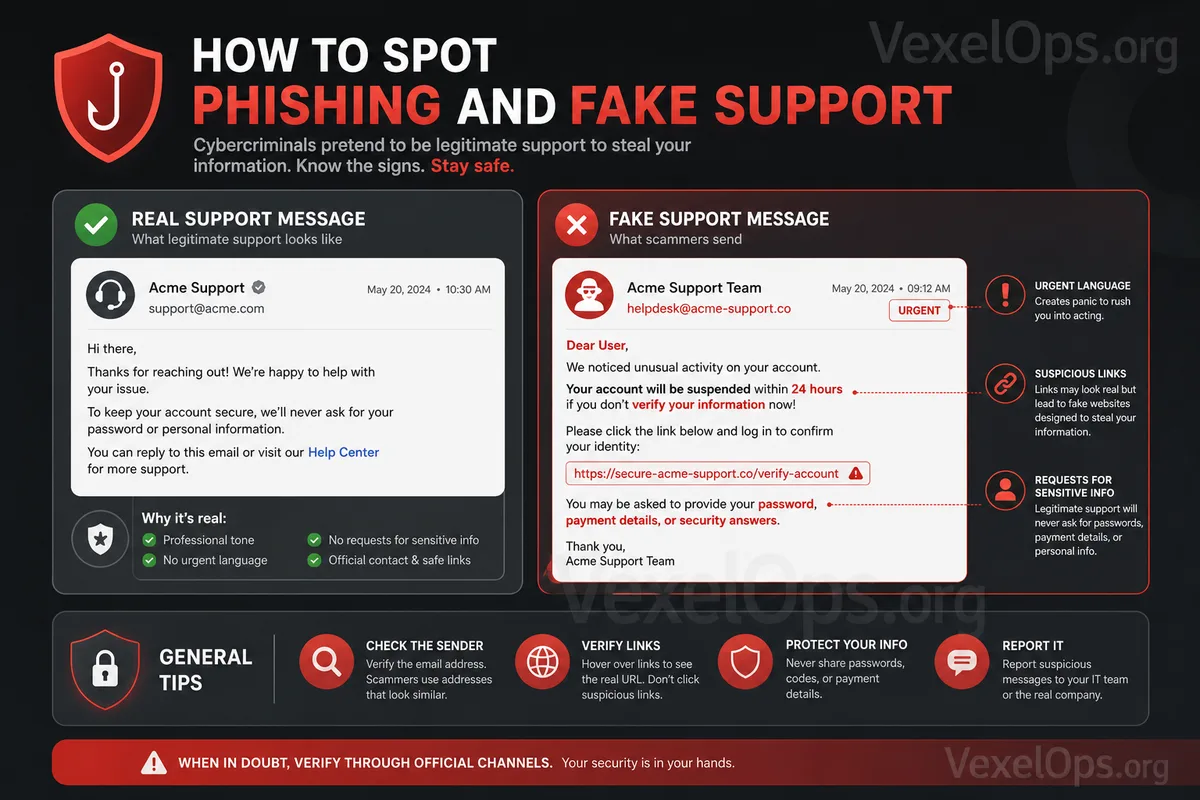
The most common tactic used by fake customer service is to create pressure. For example, they may tell you that "Your account is about to be suspended," "Verification must be completed within 24 hours," "Otherwise your account will be permanently deleted," or claim you have violated platform rules. The commonality in these messages is that they require you to act immediately, offering no time to think. Everyday users, in a state of anxiety, may click links or follow instructions without hesitation. In such cases, the safest way is to pause. Do not log into your account through links in private messages or emails; instead, open the official app or manually enter the official website URL to see if there is indeed a security notification.
Second Warning: They Request Your Password, Verification Code, or Backup Code
Legitimate platform customer service will usually not ask for your password, SMS verification code, two-factor authentication codes, or backup codes. Once these details are given to someone else, it can allow them to access or control your account. Some scammers might pretend to assist you in lifting account restrictions and then ask for your verification code. They might say, "This is just to confirm your identity," "We need the security code you received," or "Only by providing it can we restore your account." These statements are highly dangerous. Everyday users need to remember a principle: verification codes are for you to log into your account, not to be given to others. Anyone requesting a verification code should be considered high risk.
Third Warning: URLs Look Official but Are Not Quite Right
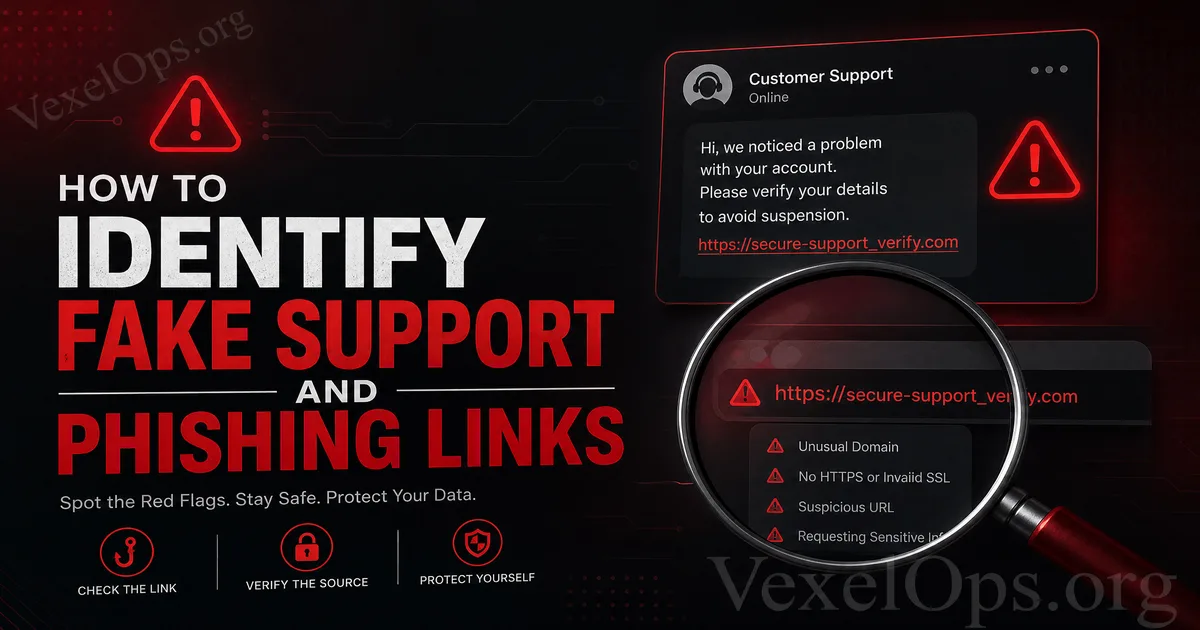
Phishing links often mimic official websites, but the URL may differ slightly. For example, it may have an extra letter, lack a symbol, use a strange subdomain, or employ a fake URL that looks like an official name. Some phishing sites are designed to closely resemble real login pages, even using similar icons, colors, and text. Everyday users can easily mistake these for official sites if only judging by appearance. Therefore, before entering your account password, always check if the URL is correct. Do not only focus on the design, nor trust a site just because it has a padlock icon. The padlock only indicates that the connection is encrypted; it does not guarantee that the site is the official one.
Fourth Warning: The Message Source is Unnatural
The sources of fake customer messages often appear unnatural. For instance, messages may come from unfamiliar accounts, newly created accounts, accounts without official certification indicators, or names that closely resemble official ones but are spelled differently. Some scammers may also impersonate friends or acquaintances, sending links with requests like "Help me vote," "Help me verify," or "Your photo has been misused." Because the message appears to come from a friend, many might lower their guard. However, if a friend's account has been hacked, these links may still be scams. If you receive suspicious messages, you can confirm with the person through other means, like a phone call, other messaging services, or face-to-face verification. Do not trust the content just because it comes from a known account.
Fifth Warning: The Link Asks You to Log In Again
Many phishing sites will first lead you to a page and then ask you to log into your account again. Be particularly cautious at this point, as this could be a fake login page designed to collect your account and password. If you were already logged into the official app, yet suddenly prompted to re-enter your account password through a strange link, you should be alert. Especially if the link comes from a private message, a group, unfamiliar email, or an unfamiliar site, do not enter your information directly. The safe approach is to close that page and log in directly from the official app or website to check if there is truly any issue to address.
What to Do If You Receive Suspicious Messages?
If you receive what seems to be fake customer service or phishing links, there are several things to do. First, do not rush to click the link. Second, do not provide passwords, verification codes, backup codes, or identity documents. Third, do not download any unfamiliar files or apps that they ask you to install. Fourth, check your account status through the official app or website. If you have already clicked a link but have not entered information, immediately close the page and check if there are any abnormalities with your device and account. If you have entered your account password, you should quickly change your password on the official platform, log out of other devices, enable two-factor authentication, and check if your recovery email and phone number have been altered.
Establish Safe Judging Habits
Customer service and phishing links are effective because they exploit urgency, fear, and trust. Everyday users do not need to understand complex techniques but can reduce risk through basic judgment. Just remember a few principles: do not log in through unfamiliar links, do not provide verification codes, do not trust messages that urge immediate action, do not believe a website solely based on its appearance, and when in doubt, confirm via the official app or website. The core of online security is not to never receive scam messages, but rather, when encountering suspicious content, to pause and make a judgment first. This habit can often prevent many instances of account theft, information leaks, and financial losses.