Why Are Phishing SMS Easy to Fall For?
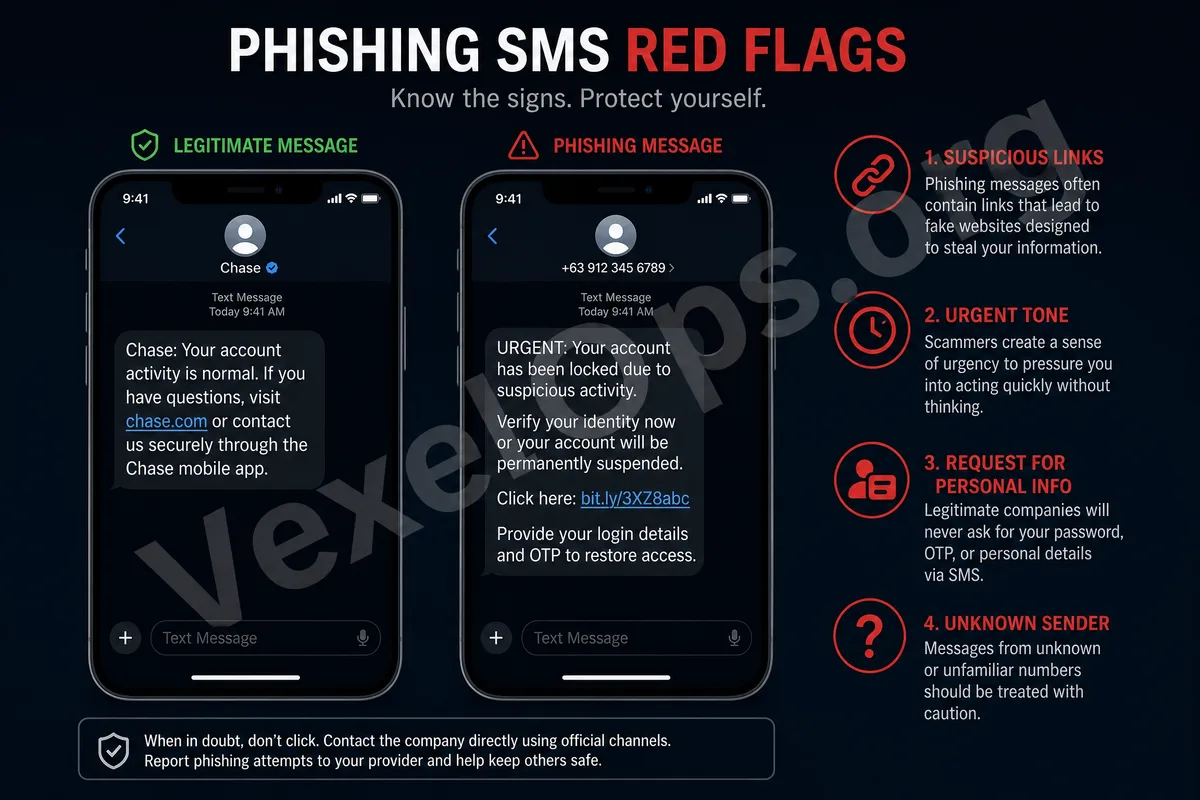
Many ordinary users receive SMS notifications daily, such as for package deliveries, bank transactions, account verifications, payment reminders, or platform security alerts. Because SMS seems very routine, scammers often exploit this by impersonating trusted services to send phishing messages. The goal of phishing SMS is usually not to directly attack your phone but to lure you into clicking links, entering account credentials, filling out personal information, or making payment transactions. They may look like notifications from a logistics company, bank security alerts, or even abnormal account notifications from social media platforms.
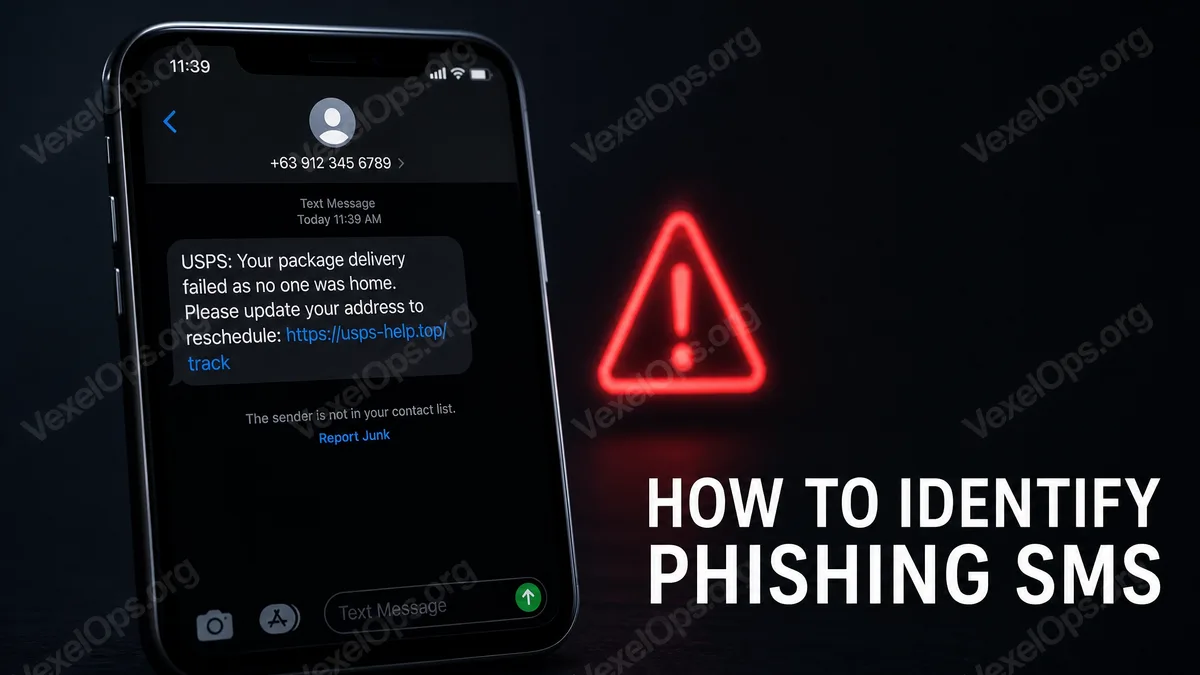
Common Scenario 1: Fake Package Notifications
Fake package SMS are very common. The content might say that your package couldn't be delivered, the address is incomplete, additional shipping fees are required, or it may ask you to click a link to update your delivery information. Such messages can easily disarm users' defenses, as many people frequently shop online. Scammers exploit the mentality of 'you might really have a package' to get you to click the link directly. If you receive an abnormal package notification, it's advisable not to enter through the link in the SMS. A safer approach is to directly open the shopping platform app you normally use or visit the logistics company's official website for inquiries, rather than inputting data through unfamiliar URLs in the SMS.
Common Scenario 2: Fake Bank or Payment Alerts
Another common phishing SMS impersonates banks, credit card companies, payment platforms, or e-wallet notifications. The content might say your account is abnormal, a transaction has been intercepted, re-verification is needed, payment has failed, or it may require you to log in immediately for confirmation. Such SMS typically create a sense of urgency, making you worry about the security of your funds, leading to quick clicks on the link. However, real banks or payment platforms should not request you to input your complete account number, password, verification code, or card details via suspicious short links. If you're concerned about account issues, you should directly open the official app or call the customer service number listed on the official website for confirmation, not use the links or phone numbers provided in the SMS.
Common Scenario 3: Fake Account Anomaly Notifications
Phishing SMS may also disguise themselves as notifications from social media platforms, email services, cloud services, or messaging apps, with content that may include 'account will be disabled,' 'anomalous login detected,' 'security verification required,' or 'please reset your password immediately.' The most dangerous aspect of such messages is that they guide you to a fake login page. The page might closely resemble an official website, asking you to input your account, password, and verification code. Once you enter this data, the scammers can gain control of your account. When encountering account anomaly notifications, please check by directly using the official app or entering the official website URL manually; do not enter through the link provided in the SMS.
How to Quickly Determine If an SMS Is Suspicious?
When you receive an SMS, you can first look at a few key points: 1. Does it demand you to click a link immediately? 2. Does it ask you to input your account, password, or verification code? 3. Does it require payment of a small amount? 4. Does the URL look unofficial? 5. Does it use alarming language, such as impending suspension, freezing, or fines? 6. Does it come from an unknown number or a strange sender name? If an SMS meets multiple criteria, it should be treated as high-risk, and you should refrain from interacting directly.
Do Not Provide Verification Codes to Anyone
Many SMS scams accompany 'verification code' operations. The perpetrator may contact you via phone, private message, or SMS, claiming they need you to provide a recently received verification code to complete identity verification, remove account restrictions, or process refunds. This is a very dangerous signal. Verification codes are meant to confirm that you are the one operating, not to be shared with customer service, friends, or strangers. Once you provide the verification code to others, they may log into your account or carry out sensitive operations.
What to Do If You've Already Clicked the Link?
If you clicked the link but haven't entered any data, you can first close the page and then check your mobile browser for any requests to allow notifications; if necessary, clear your browser data. If you have entered your account password, please immediately change your password via the official app or website, log out of other devices, enable two-factor authentication, and check your login history. If you’ve entered banking details, card information, or payment details, contact your bank or payment service provider as soon as possible to see if you need to suspend your card, modify your login details, or review transaction records.
The Safest Handling Principles
The biggest characteristic of phishing SMS is that they compel you to act quickly while feeling tense, curious, or anxious. Ordinary users do not need to understand deep technologies; just remember one principle: When receiving SMS notifications, do not log into important accounts via links in SMS, do not provide verification codes, and do not enter payment details. Any genuine package, bank, or account issues can be verified through the official app, official website, or official customer service channels. As long as you are willing to take one extra step to verify, you can significantly reduce the risk of falling victim to phishing SMS.