Why Are Suspicious Messages Becoming More Common?
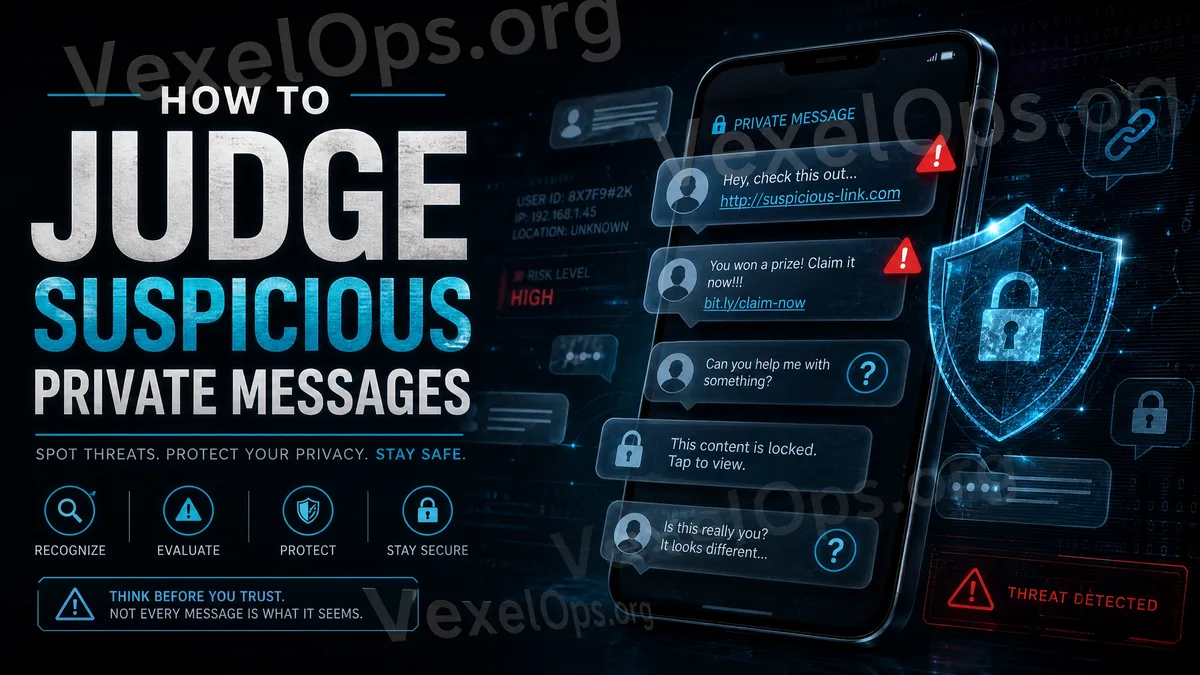
Many online risks today do not start with complex technology, but rather with a message. Average users may use platforms like Instagram, Facebook, TikTok, X, Telegram, WhatsApp, Email, or others daily, making it easier to receive messages from strangers. These messages may look like customer service notifications, pleas for help from friends, investment invitations, account warnings, prize notifications, or security verifications. Some content may come across as urgent, while others may seem very natural, and might even come from accounts you recognize. However, it’s important to note that known accounts may also have been hacked, and unknown accounts may impersonate official customer service. Therefore, when receiving any messages asking you to click links, provide information, make payment transfers, or enter verification codes, it’s vital to stop and assess first.
First Assessment: Is the Message Source Trustworthy?
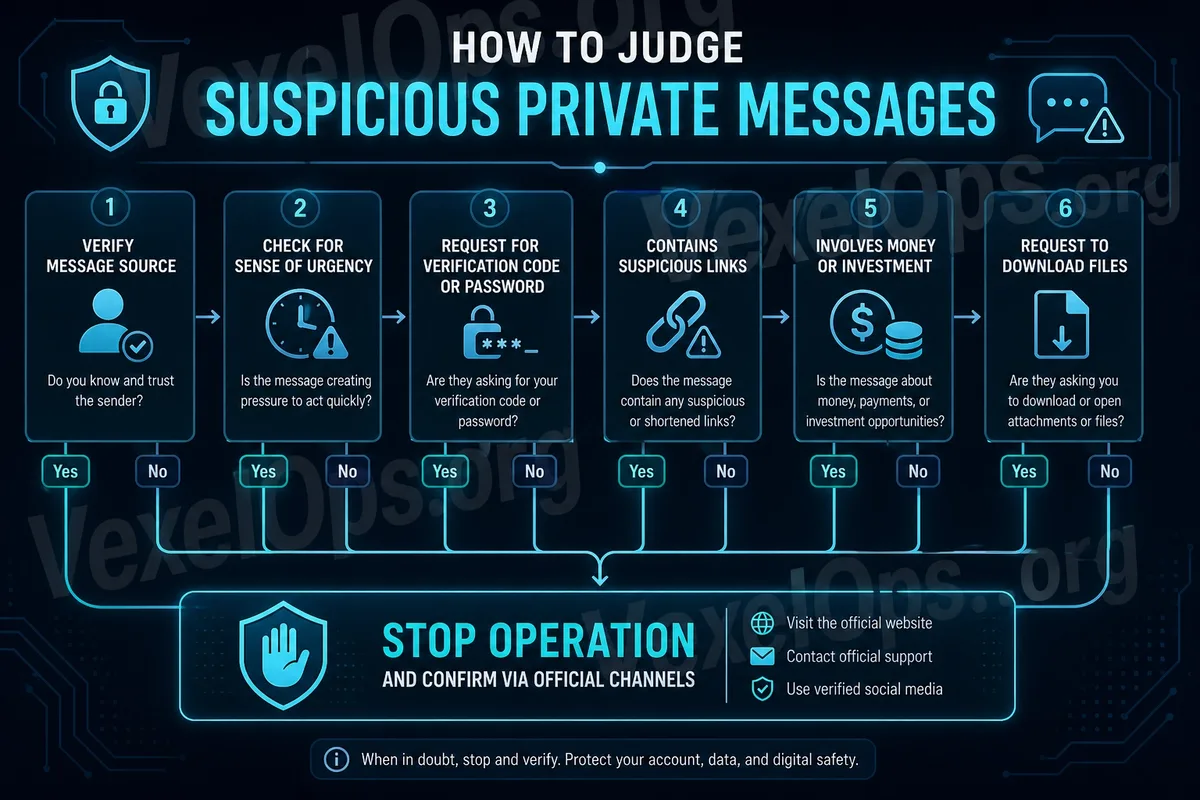
When you receive a message, the first step is to check the source. Is the sender someone you know? Has this account existed for a long time? Do the name, profile picture, and posting history seem normal? If the sender claims to be customer service, an official staff member, or a platform administrator, do they have credible official identity markings? Many fake customer service accounts use names that appear official, such as including terms like "support," "security," "verify," or "help center," misleading the average user to believe it's a genuine platform notification. However, having an account name that looks official doesn't mean it is official. If the message comes from an unknown account, or from a newly created account without normal interaction records, you should be more alert. Even if the message comes from a friend, pay attention to whether the request seems unusual, such as suddenly asking you to help vote, click a link, provide a verification code, or join an investment group.
Second Assessment: Is There a Sense of Urgency?
Fraudulent messages often employ urgency tactics. For example, "Your account is about to be suspended," "You must complete verification within 24 hours," "You’ve violated platform rules," "Failure to act now means you can't recover your account," or "Only a few spots left." The goal of such messages is to make you act quickly in a state of panic. When people feel scared or rushed, they are more likely to overlook details and directly click links or provide information. An important principle for average users is: the more an immediate action is demanded, the more you should slow down and verify. Truly significant account notifications can usually be found within the official app or on the official website, without needing to act on a link from an unknown message.
Third Assessment: Does It Ask for Sensitive Information?
If a message requests your password, SMS verification code, two-factor authentication code, backup codes, identity documents, bank information, cryptocurrency wallet data, or payment screenshots, consider it high-risk. Real platform customer service typically does not ask you for your password or verification codes via direct messaging. A verification code is meant to confirm your identity when logging in or managing your account and should never be shared with anyone. Some scammers may say things like, "This is just identity verification," "You need to provide your verification code to lift restrictions," or "Customer service needs your safety code to assist you." These statements are very dangerous. Once you share your verification code, the other party could potentially log into your account or complete certain actions.
Fourth Assessment: Are the Links Suspicious?
Many suspicious messages include links. These links may appear to lead to official websites but are actually phishing pages. They may request you to log in again, fill in information, download files, or complete security verifications. Before clicking any link, check the URL for abnormal signs. Suspicious URLs may contain odd spellings, unnatural domains, overly long parameters, unfamiliar shortened URLs, or names that look official but are not. A safer practice is: do not log into your account via links in messages. If you are concerned that your account might actually have issues, directly open the official app or manually input the official website to check for notifications.
Fifth Assessment: Does It Involve Money or Investments?
If the content of a message involves investments, part-time jobs, quick profits, managed accounts, insider information, time-limited deposits, or guaranteed returns, be particularly cautious. Online scams often establish trust using methods that seem "reasonable." For example, they may first chat with you, share success stories, invite you to join groups, and gradually lead you toward investments or funds transfer. Scammers may also show you small profits at first, then request more funds to be invested. Average users should remember: any message that guarantees profits, demands quick payments, or requests transfers to personal accounts or unknown wallet addresses should immediately halt all actions and be verified.
Sixth Assessment: Does It Request File Downloads or Tool Installations?
Some suspicious messages may ask you to download files, install apps, open compressed packages, run tools, or grant remote assistance permissions. The sender may claim this is for security verification, customer service tools, investment software, account recovery tools, or document data. Average users should not download or install any files from unknown messages. Even if the file name seems normal, it doesn't ensure safety. Especially when the sender asks you to disable antivirus or protective features, or grant high-privilege operations, you should stop immediately.
What Should You Do If You Receive a Suspicious Message?
If you receive a suspicious message, the first step is to refrain from replying or clicking links. Second, do not provide passwords, verification codes, payment details, or identity documents. Third, do not download any unknown files. Fourth, verify with the official app or website to see if there are indeed account issues. If the message comes from a friend, but seems strange, try to contact them through other means for confirmation. For example, you can call them, use another messaging app, or ask something only they would know. Don’t assume the content is trustworthy just because it comes from a familiar account. If you've already clicked a link but haven’t entered any information, you can close the page and check the account status. If you have submitted a password or verification code, you should immediately change your password, log out from other devices, enable two-factor authentication, and check if your recovery email, phone number, or login history has been altered.
Most Importantly, Stop and Think First
Suspicious messages often exploit emotional responses like fear of account suspension, concern about missing out, trusting a friend's request, or being attracted by high returns. Effective protection does not necessarily require in-depth technical knowledge, but rather the ability to pause and assess when encountering unusual messages. When you receive messages urging you to click links, provide verification codes, make payments, download files, or take immediate actions, ask yourself three questions: Is this source trustworthy? Can this be verified through the official app? If I don’t act immediately, will there truly be serious consequences? Just by taking a few extra minutes to verify, you can avoid account theft, data leakage, or financial loss. For average users, this becomes the most practical habit of assessing fraud risk.