Losing your phone is more than just losing a device
For the average user, the phone is no longer just a communication tool. It may store emails, social media accounts, messaging apps, albums, cloud data, payment apps, verification codes, notes, browser login states, and various important accounts. Therefore, after losing your phone, what you truly need to worry about is not just the price of the phone itself, but the risk of others gaining access to your accounts and personal data. If the phone has a screen lock, fingerprint or facial recognition, the risks are significantly reduced. However, this does not mean you can completely relax. As soon as your phone goes missing, you should act promptly and in order, to prevent account theft, unauthorized access to information, or misuse of payment tools.
Step One: Try to Locate and Remote Lock the Phone
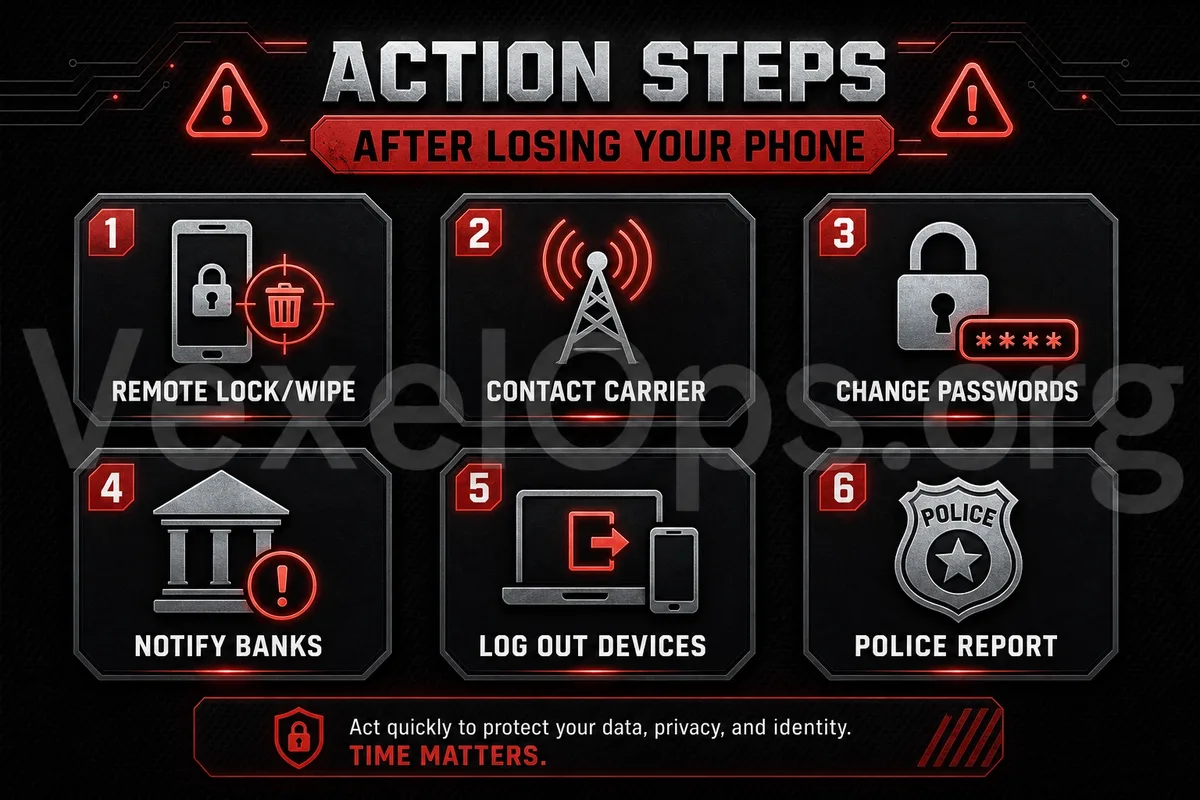
After losing your phone, the first step is to use the locating feature provided by the system to see if the phone is still online. Different phone systems typically have options for finding devices, playing sounds, remote locking, or displaying lost messages. If the phone may just be dropped nearby, you can first try to play a sound or locate it. But if you suspect that a stranger has taken the phone, do not risk going to an unsafe location to retrieve it. Remote locking is crucial. It makes it much harder for others to open the phone after it's lost, and it can display contact information on the screen to facilitate the return by a good Samaritan. If there is very sensitive data on the phone and you determine it cannot be retrieved, you may also consider remote data wiping.
Step Two: Immediately Protect Your Main Email
After losing your phone, the highest priority should be to protect your main email. Many account password resets, login alerts, and security notifications are sent to your email. If your email is logged in on your phone, the other party can potentially view emails, receive verification messages, and even reset passwords on other platforms if they gain access. It is advised to log into your email from a secure device, change your email password first, check login records, log out of unknown devices, and confirm that two-factor authentication is functioning properly. You should also check for any abnormalities in recovery phone settings, backup emails, and forwarding rules.
Step Three: Change Passwords for Important Accounts
Next, you should address important accounts such as social media, messaging apps, cloud services, shopping sites, financial services, and work accounts. The priority order can be: Main Email, social media platforms, messaging apps, cloud storage, payment services, important work accounts. These accounts are usually linked to personal data, contacts, photos, documents, or payment information. When changing passwords, do not operate on an insecure device. Each important account should use a unique password; do not apply the same new password across all platforms.
Step Four: Log Out of Social and Messaging Apps
Common social and messaging apps on your phone, such as Instagram, Facebook, Telegram, WhatsApp, X, TikTok, or others may retain login states. You can access these platforms from another device to check which devices are currently logged in and log out of the lost phone. If the platform supports "log out from all devices," this can be used in high-risk situations, and then you can log in again on your own devices later. If you use Telegram, WhatsApp, or other messaging tools, be sure to check if you can remove the login status of the lost device to prevent others from viewing private messages or impersonating you.
Step Five: Contact Your Carrier to Disable the SIM Card
After losing your phone, the SIM card is also a significant source of risk. Many platforms still send verification codes via SMS. If someone obtains your SIM card, they could receive text messages or attempt to log into certain services. It's advisable to contact your carrier promptly to suspend or replace your SIM card. After this, check if the phone number settings in your important accounts are intact. If you have used SMS as a two-factor verification method, you should be even more vigilant after losing your phone. Afterwards, consider switching to an authenticator app or a more secure verification method for important accounts.
Step Six: Check Payment and Cloud Data
Many phones are linked to payment apps, banking apps, shopping platforms, or digital wallets. After losing your phone, check for any unusual transactions, and if necessary, suspend payment tools or contact service providers. Cloud data also needs to be checked. Photos, documents, backups, contacts, and synchronized data may contain personal information. You can verify if there are any suspicious logins to the cloud account and log out from the lost device. If there is work-related data, client information, or sensitive documents on the phone, you should also notify relevant personnel or undertake internal security handling procedures as soon as possible.
Step Seven: Warn Friends and Family About Potential Impersonation
After losing your phone, if you're concerned that messaging apps or social accounts may be accessed by others, you can warn friends and family to be cautious of any suspicious messages coming from your account. For example, if someone uses your account to ask for loans, send links, request verification codes, invite investment, or ask for money transfers, these could be impersonation risks. Giving a heads-up can help reduce the chances of your friends falling victim to scams. Many people overlook this step, but it is very useful when accounts may be accessed by others.
After Losing Your Phone, the Order of Actions Is More Important Than Panic
It is indeed stressful to lose your phone, but the more anxious the situation, the more important it is to follow the steps orderly. First locate and remote lock, then protect your main email, change important account passwords, log out of lost devices, disable your SIM card, and finally check for payment, cloud data, and risks to friends and family. Preparation can also be done in advance, such as setting a screen lock, enabling find my phone features, using two-factor authentication for important accounts, saving backup codes, and avoiding storing unencrypted sensitive data on your phone. A phone can be repurchased, but if account data, private messages, photos, payment information, or personal privacy are leaked, it could lead to more complicated issues. For the average user, responding promptly after losing a phone greatly reduces subsequent risks.