
Many People Only Protect Their Passwords and Forget Recovery Information
When it comes to account security, many people first think of their password. Passwords are indeed important, but for average users, account recovery information is equally vital, and in some situations, even more critical. Account recovery information typically includes linked email, phone number, backup email, two-factor authentication backup codes, sign-in devices, and the recovery methods provided by the platform. When you forget your password, lose your phone, switch phones, have your account locked, or encounter suspicious logins, this information will directly affect your ability to successfully recover your account. Many accounts do not get compromised due to weak passwords but rather because recovery emails are outdated, phone numbers have changed, backup codes were not saved, or the two-factor authentication app could not be transferred after changing phones. These issues may not be apparent on a regular basis, but when they arise, they can be very troublesome.
Recovery Email is a Key Entry Point for Account Security
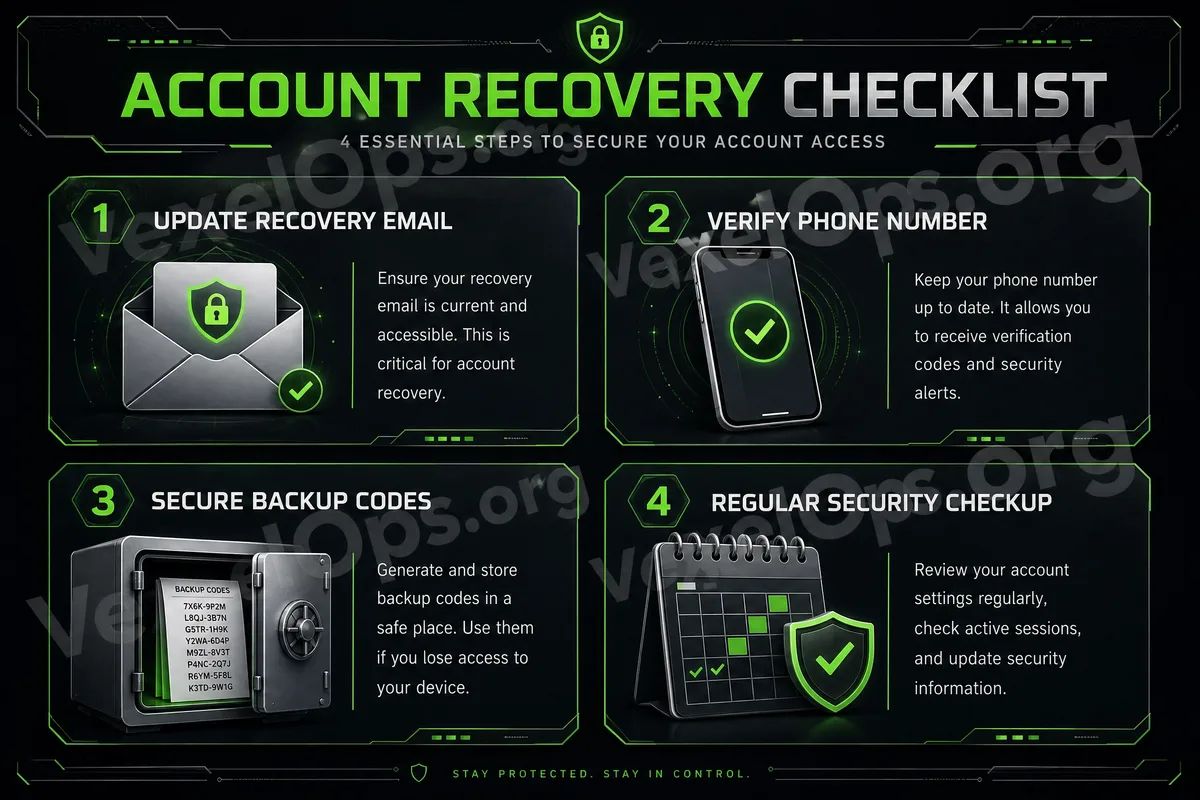
Most platforms use email as a method of account recovery. When you forget your password, receive a security alert, need to confirm a login, or reset your account, the platform typically sends a link to the linked email. If this email is one you haven't accessed in a long time, if the password is too simple, or if you share passwords with other platforms, it may become a vulnerability for your account security. More seriously, if the recovery email is accessed by someone else, they could reset your passwords on other platforms through it. Therefore, both your primary email and recovery email should have unique passwords and should enable two-factor authentication. Regular users can take a simple step: check the email linked to their major social media, messaging apps, shopping websites, and cloud accounts to see if it's still functional.
Mobile Numbers Must Also Be Kept Accurate
Many platforms send verification codes, login alerts, or account recovery notices via mobile numbers. If your account is still linked to an old mobile number, you may face difficulties when trying to recover your account later. Some people switch phone numbers but forget to update their settings on various platforms. When it's time to receive a verification code, they discover that the old number is already deactivated. This situation can prolong recovery time and may even make verification impossible. It is advisable to periodically verify that the mobile numbers associated with your important accounts are correct. Especially ensure that primary email, social media, messaging tools, cloud services, and payment-related accounts are updated first. If you use SMS for two-factor authentication, also pay attention to the risks after losing your SIM card, deactivating your number, or losing your phone. For important accounts, authentication apps are generally more suitable for long-term use than relying solely on SMS.
Backup Codes Should Not Be Looked for Only When Needed
Many platforms provide backup codes when you enable two-factor authentication. These backup codes are meant to help you log back into your account when you cannot use your phone, authentication app, or SMS. The problem is that many people do not save the backup codes when enabling two-factor authentication or just take a screenshot and keep it in their phone's photo album. When the phone is lost, a device switch fails, or app data is lost, they realize they have no backup method. Backup codes should be stored in a secure and retrievable location. You could use a trusted password management tool for storage or keep an offline backup. Do not publicly store backup codes in albums, chat histories, or documents that can easily be seen by others.
Check Two-Factor Authentication Before Switching Phones
Many account recovery issues occur when switching phones. Users clear data from their old phone only to realize that the authentication app was not transferred and backup codes were not saved, preventing access to important accounts on the new phone. Before switching to a new phone, it is advisable to check whether you can still log into several important accounts, whether two-factor authentication can be transferred, whether backup codes are saved, and whether the recovery email and phone number are accurate. Especially prioritize checking accounts such as primary email, social media platforms, messaging apps, cloud accounts, payment services, and password managers before switching phones.
Do Not Share Recovery Information With Anyone
Account recovery information is highly sensitive. If anyone asks you to provide verification codes, backup codes, recovery links, or account security codes, you should be vigilant. Common claims by fraudulent customer service representatives include: "We need the security code to confirm your identity," "The backup code must be provided to lift restrictions," or "Tell us the verification code to recover your account." These statements are very dangerous. Real account recovery should be completed through the official app or website and should not involve providing sensitive information through unfamiliar messages, unknown customer service, or dubious links.
Regularly Conduct an Account Recovery Information Check
Average users do not need to check account settings daily, but they should do a simple check every so often. Especially after changing phones, numbers, emails, moving, switching jobs, or noticing any unusual activity in accounts, it’s advisable to recheck. You may want to prioritize checking: 1. Is the primary email secure? 2. Is the recovery email still usable? 3. Is the phone number accurate? 4. Is two-factor authentication functioning properly? 5. Are the backup codes safely stored? 6. Are there any unfamiliar devices logged in? 7. Are third-party authorizations normal? These tasks do not need to be complicated at once, but regular confirmation can significantly lower the risk of difficulty in account recovery.
Account Security is Not Just About Preventing Theft, but Also About the Ability to Recover Accounts
Many people understand account security as simply "not getting hacked," but truly comprehensive account protection also includes whether you can recover your account when an issue arises. If passwords are very secure but the recovery email is no longer valid; if two-factor authentication is enabled but the backup codes are not saved; if the phone number has changed yet the account settings are not updated, all of these can create difficulties when it’s time to recover the account. For average users, the most practical approach is to protect both passwords and recovery information. Ensuring that email, phone numbers, backup codes, and two-factor authentication are all functioning properly is a more complete habit of account security.