
Mobile Location is Convenient, but Also Sensitive
Mobile location features have become a part of daily life. You might use Google Maps for directions, Apple Find My to locate your phone, a delivery app to confirm addresses, or a rideshare app to pinpoint your pickup location, and you might even share check-ins or location tags on platforms like Instagram, Facebook, and Snapchat. These features are indeed convenient and not to be avoided. The real concern is that location data can reveal a lot about your life, such as where you live, where you work, which stores you frequent, and when you move around, even potentially inferring your lifestyle habits. For the average user, protecting location data doesn't mean turning off all location services; it means understanding which apps require location data, which don't, and which location information is not appropriate to publicly share.
Which Location Data Is Most Often Overlooked?
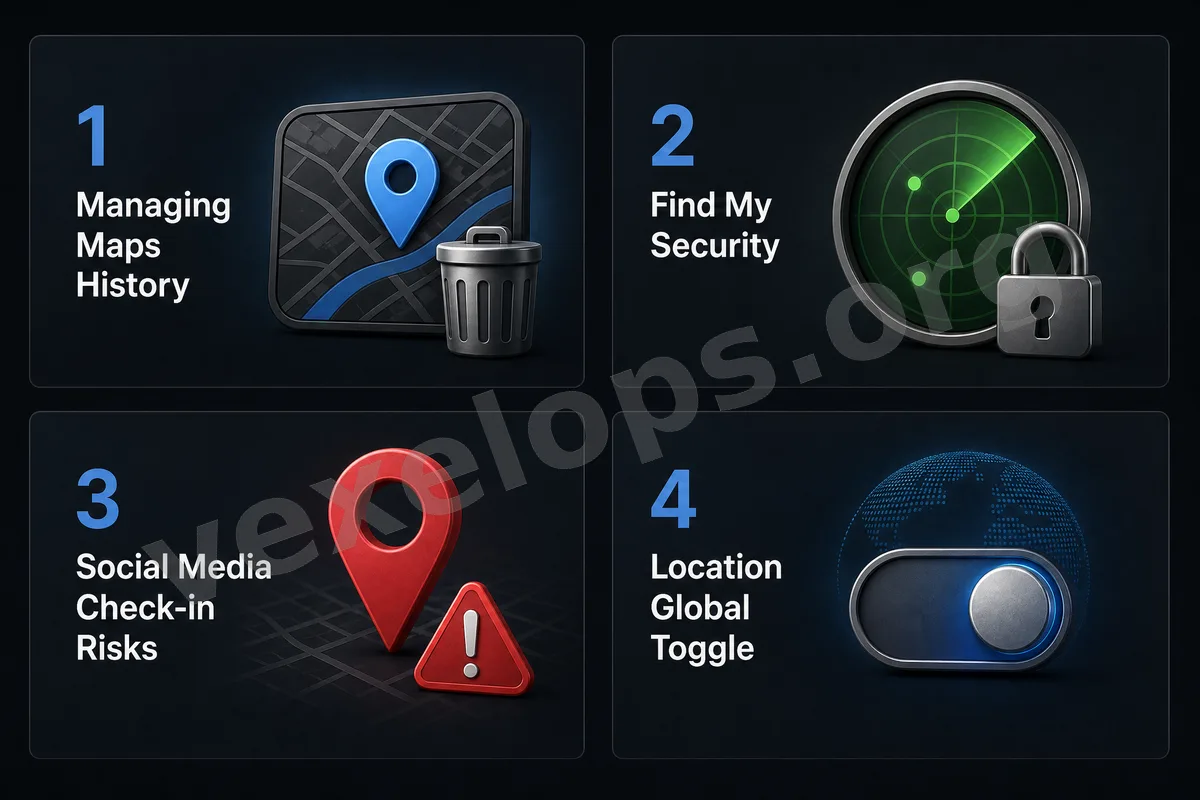
Many people pay attention to passwords and photos but overlook their location history on their phones. In reality, location data can be hidden in various places. For instance, Google Maps may save your location history or timeline; Apple Find My may let family or friends see your device's location; camera photos may include location details; and social platform check-ins, stories, and post location tags might reveal where you've been to strangers. These data, when viewed separately, may not seem critical, but over time, they can create a complete movement profile. Especially for your home, workplace, school, gym, favorite coffee shop, or regular meeting places, it is not advisable to keep this information publicly shared for long periods.
Regularly Check Google Maps Location History
If you're using Google Maps, you should check if location history or timeline features are enabled. These options can help you recall places you've been, but they also mean your movement records may be retained for long periods. For some, this is very convenient; but for those who value privacy, regular checks and clean-ups are necessary. You can decide based on your needs whether to keep location history. If it’s not needed, you can turn it off or set automatic deletions. You should at least be aware of whether this feature is on rather than being completely unaware of the locations you've been recorded at.
Manage Apple Find My and Location Sharing Carefully
Apple Find My is very useful for locating phones, AirPods, and for sharing locations with family. However, if you share your location with too many people for extended periods, or forget with whom you've shared your location, it can raise privacy risks. It's advisable to regularly check who you're currently sharing your location with. For those you no longer need to share with, permissions can be revoked. This doesn’t imply a lack of trust towards others, but rather that location data is inherently sensitive information that should only be shared with those who truly need it. Similarly, if you're using other family location, couple location or friend location apps, you should also regularly verify permissions to avoid over-sharing.
Avoid Immediate Public Check-Ins on Social Media
Platforms like Instagram, Facebook, and Snapchat frequently feature location tags and check-in functions, which can add a personal touch to posts. However, immediately publicizing your location can also enable strangers to know where you are right now. If you're checking in near your home, workplace, or regular spots, over time, this might expose your living area. If you are traveling, it's also not advisable to publicly disclose that you're not home right away. A safer approach is to wait until you're no longer at that location before sharing, or limit the sharing to trusted friends. For the average user, delaying publication is a simple yet effective habit for safeguarding privacy.
Photos May Also Contain Location Data
Many smartphones record the shooting location in the photo metadata when taking pictures. This is very convenient for organizing albums, but if you send the original photos to strangers, upload them to certain platforms, or share them with unfamiliar individuals, it might expose where they were taken. This is especially crucial for photos taken at home, workplaces, schools, hotels, or private gathering places. If you don't need the photo to record location, you can disable the camera’s location permissions. Before sharing photos, you should also check if there’s a need to remove location data.
Do Not Grant All Location Permissions to Apps
Many apps request location permissions when opened for the first time. Everyday users often hit allow without considering it further and then forget to check later. A more practical approach is to categorize apps. Navigation, rideshare, delivery, and weather apps may need your location; however, many games, filters, ordinary tools, or less frequently used apps may not need to know your precise location. If the system provides options like "Allow while using the app" and "Precise location," you can adjust according to your need. Not every app requires constant knowledge of your whereabouts.
Protecting Location Data Is Protecting Life Patterns
The sensitivity of location data stems from the fact that it isn't isolated information but can reflect your life patterns. Where you appear daily, what time you move, and the places you frequent, if overly publicized or retained for long periods, can create privacy risks. Everyday users don’t need to turn off all location features completely. A more balanced approach is to activate location services only when necessary, to make it vague if possible, to delay sharing if it’s not immediate, and to limit sharing to specific recipients instead of making it public to everyone. Mobile location features can continue offering convenience, but only if you understand who is using your location data, where it’s being stored, and whether it’s being publicly shared. By regularly checking, many risks can be effectively minimized.