
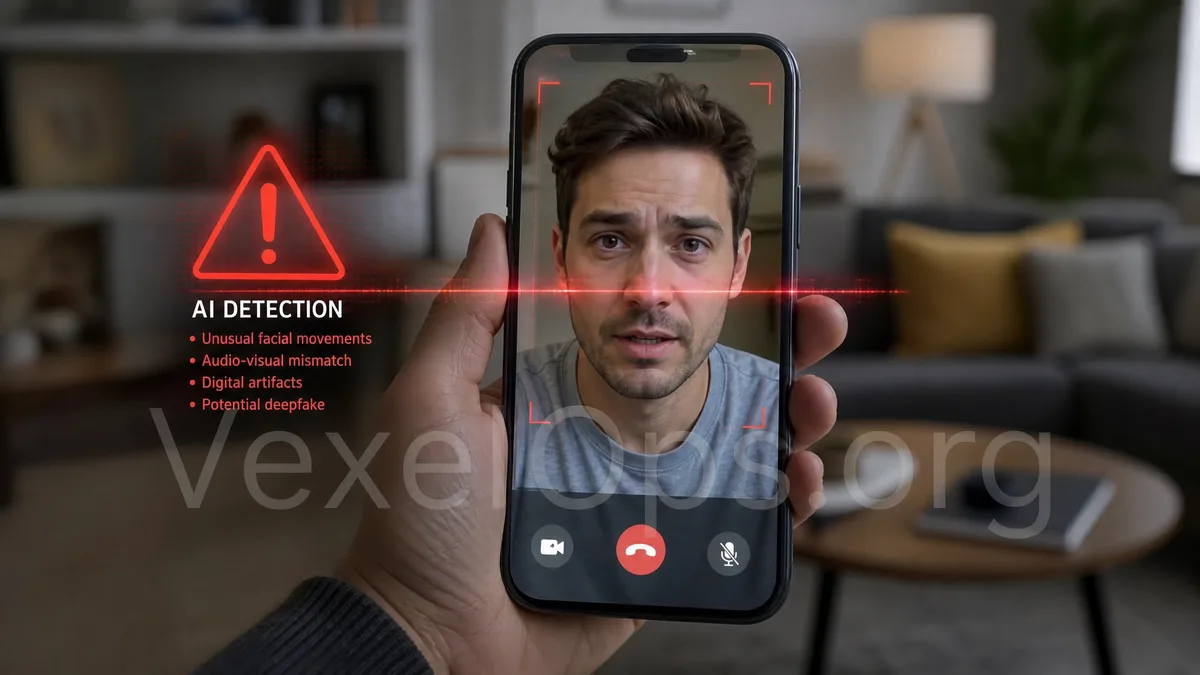
Always Confirm When Voice and Video Seem Real
In the past, many people relied on tone, text errors, unfamiliar accounts, or unreasonable requests to judge scams. However, AI voice modulation, deepfake videos, and impersonated footage are becoming increasingly easy to exploit. Scammers may not only use textual messages but can also mimic friends, customer service, company supervisors, investment advisors, or even impersonate familiar social media accounts. Such risks can emerge on WhatsApp, LINE, Telegram, Facebook Messenger, Instagram direct messages, Discord, Zoom, Google Meet, or other messaging platforms. The other party may send a voice message that sounds like someone you know, or they may open a brief video that looks like a supervisor, friend, or customer service agent. Because the sound and image present more realism, many people react quickly under pressure, such as transferring money, providing verification codes, clicking links, or sharing account information. But remember: Just because the voice and image seem real does not mean the identity is genuine. The more urgent the request for payment, passwords, or deviations from established processes, the more necessary it is to pause and verify.
Common Scenarios of AI Voice Scams
AI voice scams often exploit "trust from acquaintances." Scammers might first collect publicly available videos, audio, live stream snippets, or short video content from social platforms, then use voice imitation tools to create what appears to be a genuine voice message. Common scenarios include: 1. Impersonating a family member claiming their phone is broken and they need money or payment help. 2. Pretending to be a friend saying their account is locked and they need you to receive a verification code or help log in. 3. Faking a company supervisor demanding an urgent transfer, gift cards, or customer information. 4. Impersonating customer service claiming unusual account issues requiring immediate cooperation. 5. Faking an investment advisor, using voice to bolster credibility while urging you to transfer USDT, Bitcoin, or Ethereum. These scenarios often share common characteristics: urgency, reasonable reasoning, a familiar tone, yet each request is unusual. Especially concerning money, account logins, verification codes, remote assistance, or cryptocurrency transfers, do not rely solely on the sound.
Why Deepfake Videos and Impersonated Footage Are More Believable?
Deepfake videos or impersonated footage make scams more convincing because people are inherently more likely to believe what they "see." The other party may only present very brief videos, with blurry images, delayed sound, or claim poor network connectivity to hinder thorough verification. Some impersonated videos might use pre-recorded clips, while others could utilize AI face-swapping or image generation techniques to mimic someone's facial expressions. For the average user, there’s no need to delve into intricate technical details; simply remember a few risk signals: - The other party is unwilling to engage in natural interaction, only quickly saying a few lines. - The video and sound are out of sync or the expressions are stiff. - The other party refuses to answer questions only the genuine person would know. - The other party urges you not to hang up or contact others. - They pressure you to transfer money, provide verification codes, or install software immediately. - After the video, they switch to text to hasten your actions. Genuine communication should not fear that you will confirm again via other means. If the other party continuously obstructs you from calling
When Facing Suspicious Audio or Video, Conduct a Secondary Confirmation
When you receive suspicious audio, video, or urgent messages, you can adopt the "secondary confirmation" principle. Avoid responding to sensitive content directly within the original conversation; instead, use the contact method you already know to verify. For instance, if the other party claims to be your friend on LINE, you can call the original stored phone number. If they assert to be a company supervisor, you can confirm through the company’s internal directory, corporate email, or usual communication channels like Slack, Microsoft Teams, or Google Workspace. If they claim to be customer service, you should return to the official app or website, rather than using any provided link. You can also use questions only the genuine person would know for verification, but those questions cannot be too simple. For example, birthday, school, work location, and other information may already be public on Facebook, Instagram, LinkedIn, or X, which scammers can look up. A better approach is to inquire about recent personal events, shared experiences, or details known only to both of you.
Don't Provide Verification Codes, Passwords, or Transfers Under Pressure
AI voice modulation and deepfake videos are just packaging; the core purpose of scams usually remains to obtain your money, account, or personal data. Regardless of how closely the voice resembles a familiar person, if any of the following requests arise, you should immediately heighten your alertness: - Requests for Google, Gmail, Facebook, Instagram, Telegram, or Apple ID verification codes. - Requests for passwords, two-factor backup codes, or remote control permissions. - Requests to transfer funds to unfamiliar bank accounts or cryptocurrency addresses. - Requests to purchase gift cards, credit cards, or provide payment screenshots. - Requests to install AnyDesk, TeamViewer, APK, or unknown apps. - Requests not to inform family, colleagues, or official customer service. Verification codes should always be entered by you personally on official websites or official apps. Cryptocurrency transfers, like USDT, Bitcoin, Ethereum, TRON, are typically hard to retract once sent, therefore operating under pressure is even more precarious.
If You’ve Already Been Scammed, Collect Data and Mitigate Losses
If you have already provided information, transferred money, or clicked suspicious links, your first step is not to place blame on yourself but to swiftly mitigate subsequent risks. You should immediately change the passwords of relevant accounts, check login records for Google, Facebook, Instagram, Telegram, Apple ID, exchanges, or email to confirm whether there are unfamiliar devices or security settings changed. At the same time, organize the following data: 1. The other party's account name, ID, or phone number. 2. The timing of audio, video, or text messages. 3. What the other party requested you to do. 4. Whether you provided verification codes, passwords, or personal data. 5. Payment methods, transaction times, recipient accounts, or wallet addresses. 6. Suspicious links, website screenshots, and chat records. 7. Whether other friends or colleagues received similar messages. If it involves platform accounts, you should promptly file a complaint or change security settings through official portals. If it concerns banking, exchanges, or cryptocurrency transfers, you should organize transaction records and suspicious addresses, and seek help from platform customer service,
Making AI Scam Incidents Easier to Organize and Assess
AI voice modulation and deepfake videos make scams harder to intuitively identify, but patterns can still be discerned. If the other party pressures you with an acquaintance's identity, demands confidentiality, rushes transfers, requests verification codes, or asks you to install tools, you should pause first. VexelOps can assist users in organizing suspected AI voice scams, deepfake videos, fake customer service, or impersonated incidents, including conversation records, suspicious accounts, payment leads, platform information, timelines, and subsequent complaint data. If you are unsure whether the audio or video you received is suspicious, or if account, financial, and personal data risks have already occurred, you can understand the assistance process through VexelOps.org, VexelOps.net, or Telegram @vexelops, and facilitate orderly organization and assessment of incidents while protecting privacy.