

Your Public Data May Be More Extensive Than You Think
Many individuals believe their personal data exists only in phones, emails, or social media accounts. In reality, if you’ve registered on websites, posted comments, or used Facebook, Instagram, X, LinkedIn, YouTube, TikTok, or left contact information on public platforms, it may have been indexed by Google. These data points may seem harmless individually, such as a profile picture, a nickname, a work experience, or an email. However, when information from different platforms is combined, it can create a comprehensive personal profile. Such public information can be exploited by fake customer service representatives, phishing schemes, social engineering scams, or harassers to enhance their credibility. For instance, if someone knows your name, your field of work, the social platforms you frequently use, or that you are currently job hunting or interested in cryptocurrencies, they can craft messages that appear legitimate, enticing you to click on suspicious links or provide additional information.
Start by Searching Your Basic Information
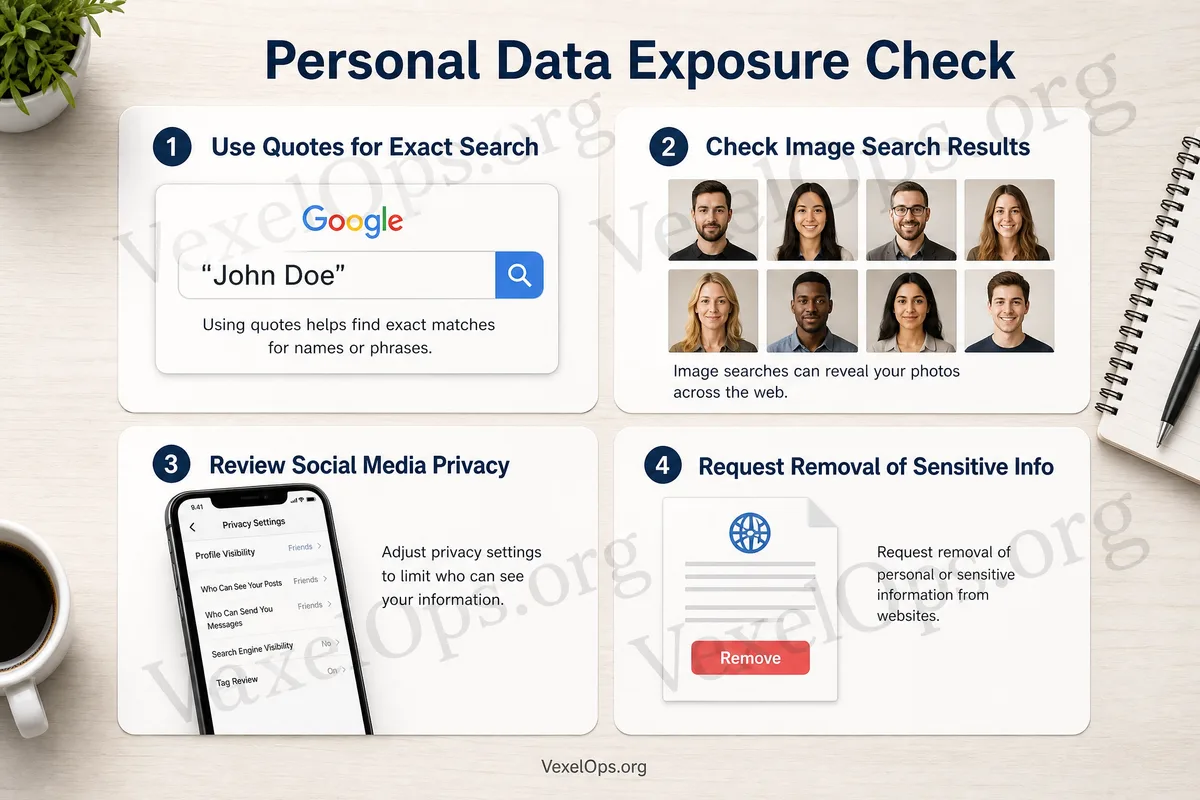
The simplest way to check is to use Google to search for your public information. You can sequentially search for: 1. Your name 2. Common English name or nickname 3. Email address 4. Phone number 5. Social media account ID 6. Your company name along with your name 7. Your commonly used names on Telegram, LINE, WhatsApp, or Discord When searching, you can use quotation marks for more precise results, such as searching "your email" or "your name." If you have used multiple social platforms, you can also search by combining them with Facebook, Instagram, LinkedIn, X, TikTok, etc. This process is not meant to induce anxiety, but to help you understand what data is already public. Only by seeing your online footprint can you determine which information to keep public and which privacy settings need adjustment.
Check the Privacy Settings on Social Platforms
Many exposures of personal data are not due to accounts being hacked but because platforms were set too publicly by default or in the past. Public posts on Facebook, Instagram profiles, LinkedIn work experience, old posts on X, or YouTube comment histories may be searchable or viewable by strangers. You can check:
- If your profile includes your phone number, email, or personal contact information
- If old posts contain addresses, school names, workplaces, or family information
- If photos reveal ID cards, license plates, house numbers, or company interiors
- If your friends list, following list, or group memberships are public
- If you have shared too many job titles and internal company information on LinkedIn
If certain information only needs to be known by friends, colleagues, or clients, it doesn't necessarily need to be fully public. For most personal users, the safest approach is not to delete all accounts but to keep the public exposure manageable.
What Risks May Arise from Exposed Emails and Phone Numbers?
Email addresses and phone numbers are among the most commonly overlooked sensitive information. When your email appears on public web pages, old forums, resume sites, or personal social media pages, you may receive more phishing emails, fake customer service messages, or password reset attempts. Your phone number can also be used for scams on WhatsApp, LINE, Telegram, or via SMS. Scammers may pretend to know your background to make messages seem more familiar or like official notifications. If you suspect your email has been compromised, you can use tools like Have I Been Pwned to check for data breaches. If a service is found to have been breached, it is advisable to change the password for that service first and to avoid reusing the same password on other platforms.
Privacy Settings You Can Adjust Immediately
You don’t need to tackle all platforms at once; you can start with the accounts you use most. It’s recommended to prioritize adjusting the following settings: 1. Change the visibility of posts from private accounts to friends or followers 2. Remove phone numbers, personal emails, or addresses from your profile 3. Review the security settings of your Google Account, Apple iCloud, and Microsoft account 4. Deactivate old accounts that you no longer use 5. Enable two-factor authentication on important accounts 6. Use Google Password Manager, Apple iCloud Keychain, or Microsoft Edge’s password manager to check for duplicate passwords If some search results come from platforms you no longer use, you can log into that platform to modify or delete content. For data from third-party websites, you will need to check if the site provides removal or contact options.
Keep Your Online Footprint Manageable
Digital privacy doesn’t mean never using the internet; it’s about knowing what information is public, what should be limited, and what data should not be easily accessible to strangers. Searching Google for your name, email, or social media accounts is a simple yet effective self-check method. VexelOps Blog suggests that general users regularly check their public information, especially before changing jobs, using new social media platforms, registering for cryptocurrency exchanges, joining public groups, or encountering unfamiliar customer service. The less publicly accessible data you have, the more challenging it will be for scammers, phishing attempts, and social engineering fraudsters to design credible attacks against you.