
Mobile sharing is convenient, but avoid keeping it public long-term
Many smartphones now support quick file sharing. iPhone users often use AirDrop, while Android users might opt for Nearby Share or Quick Share. Files can also be transferred via Bluetooth, cloud links, or messaging apps across different devices. These features are inherently convenient. They allow you to quickly send photos to friends, transfer documents to computers, or exchange information during meetings, trips, and gatherings. However, if the settings are not managed properly, your phone might become visible to strangers in inappropriate situations or receive unwanted files or suspicious content. For ordinary users, the key is not to completely avoid sharing features, but to know when to enable them, when to disable them, and which data should not be shared casually.
AirDrop is not recommended to be open to everyone all the time
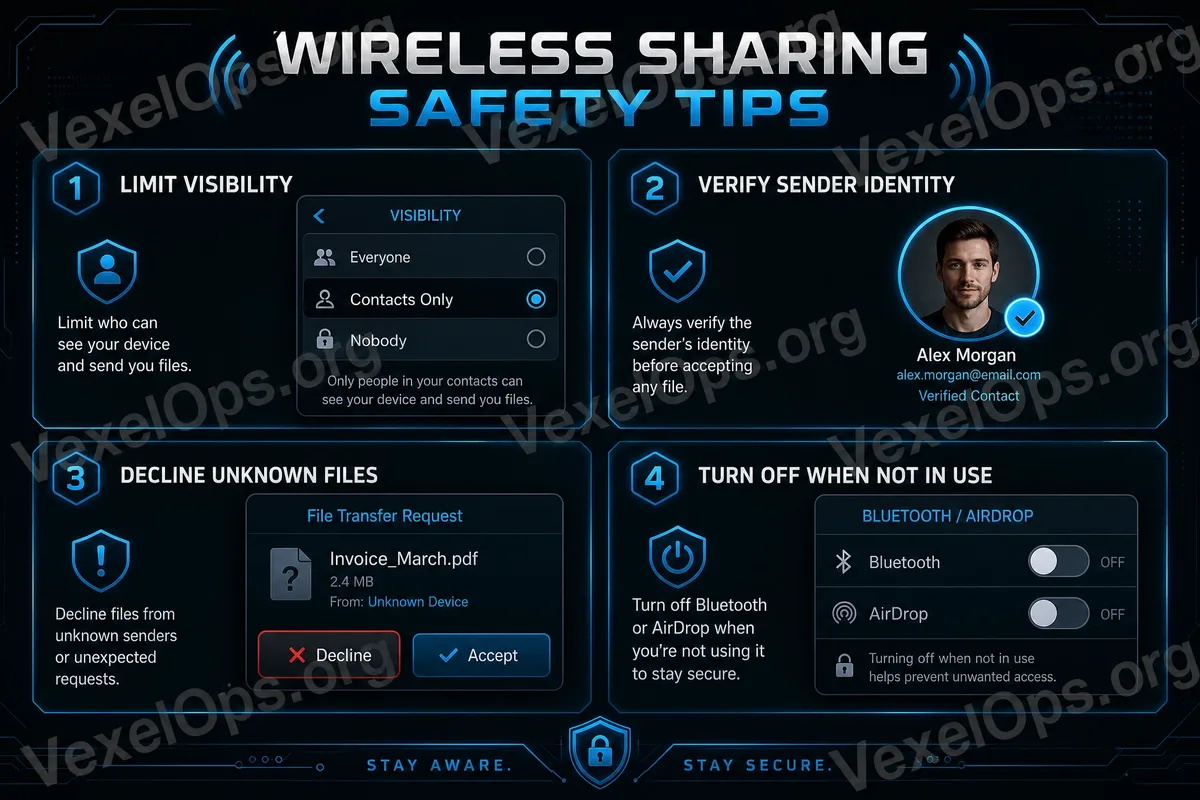
AirDrop is handy, but if set to allow everyone to see or send files, you might receive images, links, or files from strangers in public spaces. This is especially risky in crowded places like subways, cafes, airports, schools, and event venues where open reception can lead to harassment or risks. A safer approach is to keep AirDrop off normally or only allow contacts to send files. Only temporarily enable it when you really need to receive files from strangers, and turn it off immediately after. If the phone system provides a setting for "open to everyone for a limited time," this is also safer than being permanently open. This balances convenience with privacy, preventing your device from consistently appearing in nearby sharing lists.
Nearby Share / Quick Share visibility settings should also be checked
Android devices' Nearby Share or Quick Share have similar visibility settings. You can control who can see your device, whether it's limited to contacts, or if nearby everyone is allowed to discover it. If you keep nearby sharing on in public places for extended periods, strangers might see your device's name and even attempt to send files. While most situations require your confirmation to receive, it can still lead to disturbances or accidental operations. It's advisable to set nearby sharing to be visible only to trusted contacts or to turn it off when not in use. For ordinary users, sharing features should be "enabled when needed," not kept open all the time.
Device names may also reveal personal information
Many people set their phone names to their real names, like "David's iPhone," "Amy's phone," or device names containing company, school, or nickname information. When you enable AirDrop, Nearby Share, Bluetooth, or hotspot features, people nearby might see this name. While this may seem trivial, in public settings, a device name can disclose your identity, gender, name, or usage habits. If you prioritize privacy, consider changing the device name to something more neutral and avoid using full names, phone numbers, company names, or other identifiable information.
Don't accept files from strangers casually
If you receive files, images, links, or documents from strangers, don’t open them out of curiosity. This is particularly true for files from unknown sources or when the content seems unusual. You should refuse if the sender asks you to download, install, log in, or make payments. Many risks do not start with complicated technology, but rather with a single file or link. Even PDF, images, compressed files, or seemingly plain documents should not be opened if their source is unknown. If you are unsure whether a file is safe, it is better to refuse to receive it, use a trusted transfer method, or ask the sender to confirm again through a known contact.
Be cautious about location and background before sending photos
When using AirDrop or Nearby Share to send photos, many people only focus on the image itself, neglecting that photos may contain location information or background details. For example, a photo might show home addresses, license plates, company documents, package addresses, school uniforms, screen displays, or other personal details. Some photos may also contain location data depending on phone settings and sharing methods. Before sending, it's best to verify whether the photo content is appropriate for the recipient. For unfamiliar individuals, avoid sending photos containing home addresses, workplaces, identity documents, or private life details.
Turn off Bluetooth when not in use
Bluetooth is often used to connect headphones, watches, car systems, keyboards, and other devices. It is not problematic by itself, but if you don’t need it, turning off Bluetooth can reduce unnecessary exposure of devices. Ordinary users shouldn't overly worry about Bluetooth, but they can develop a simple habit: turning it off when not in use and periodically checking paired devices, removing those no longer used or not recognized. If you find that your phone has previously connected to unknown devices or if any device name seems unfamiliar, consider deleting the pairing record.
The core of sharing feature safety: turn it on only when needed
AirDrop, Nearby Share, Quick Share, and Bluetooth are convenient features, not dangerous functions. What truly needs attention is not keeping them open too long. A better practice is to: enable them only when necessary, turn them off afterwards; allow only contacts or trusted individuals; reject unknown files; avoid using identifiable device names; review background and location information before sending photos. These practices are simple but can effectively lessen privacy risks associated with mobile sharing features. For ordinary users, safety doesn’t necessarily mean stopping use; it means knowing how to use them more control effectively.