
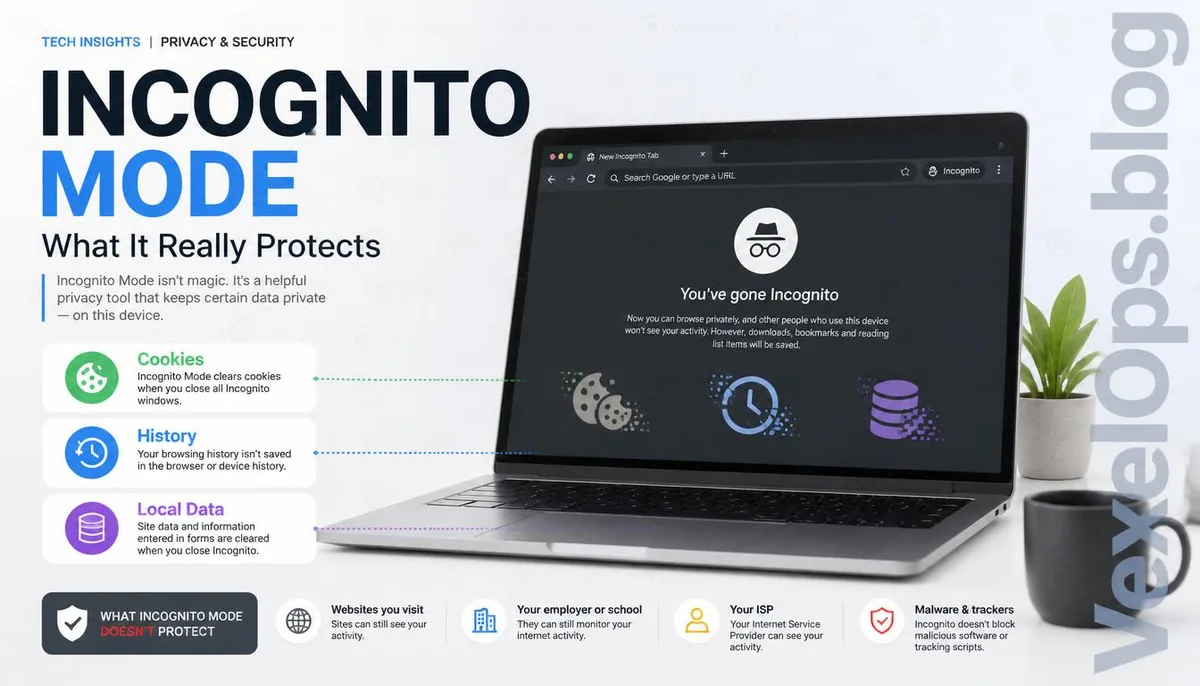
Does opening Incognito Mode really mean nothing will be left behind?
Many people have a common thought when they first encounter their browser's Incognito Mode. Since it's called Incognito, does that mean your search history, websites visited, login accounts, or even the entire online process will leave no record? This is one of the most common misconceptions online. In reality, Incognito Mode has never promised to make you 'completely anonymous'; it merely changes how the browser saves data. Many users mistakenly associate this name with an incorrect understanding, leading to a misunderstanding of its true purpose over the years. If you understand its design intent, you'll find this feature is quite useful; it just protects a different scope of data than most people imagine.
Imagining a scenario in everyday life
Imagine today you borrow a friend's computer to check flight prices, or log into your email on a company computer. What are you most worried about before leaving? It's usually not about worrying that your ISP knows you visited certain websites, but rather fearing that the next user will open the browser and see your login status, search history, cookies, or auto-filled account information. This is the problem that Incognito Mode primarily aims to solve. It mainly prevents the browser from leaving usage records on the local device, rather than making the entire online world unaware that you have visited a certain website. Therefore, if you are just temporarily borrowing someone else's device, Incognito Mode can indeed reduce the risk of personal data being left behind.
What data does Incognito Mode actually not protect?
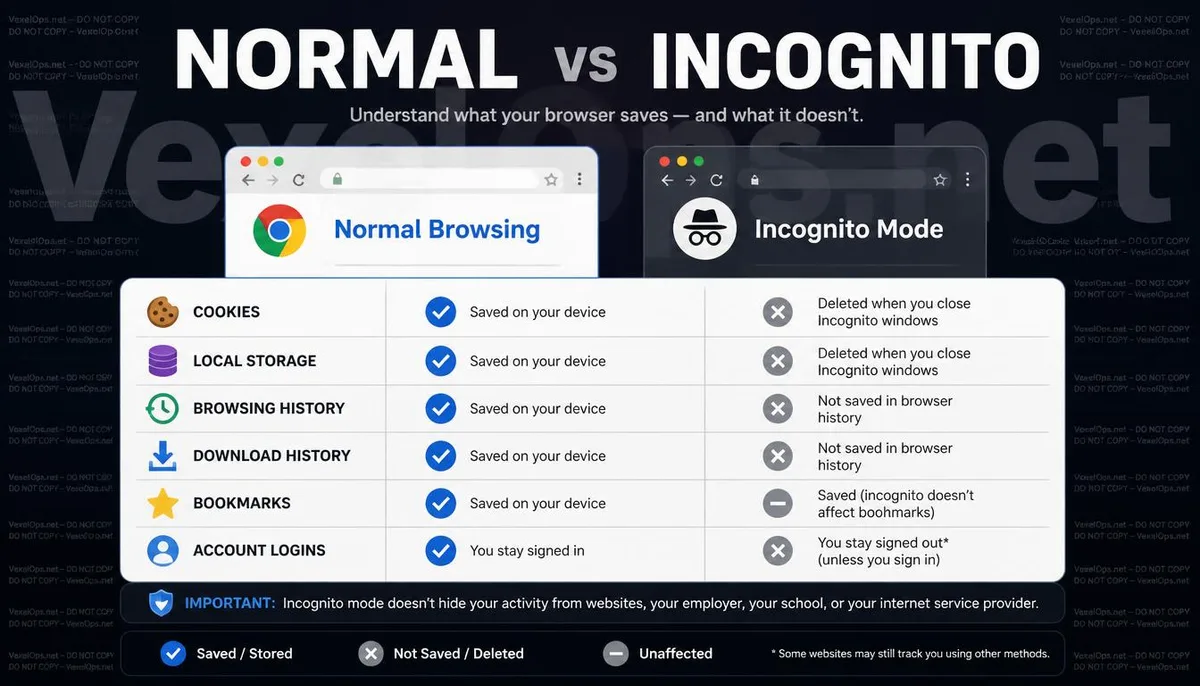
Many people think that after opening Incognito Mode, websites, company networks, or even internet service providers won’t be able to see their browsing behavior. However, that's not the case. If you log into Google, Facebook, or other platforms, the service may still know you are using an account; if the company has network management mechanisms in place, administrators may still see network traffic; and websites will still receive your connection requests. In other words, Incognito Mode mainly affects whether the browser saves data on the local end, and does not make all internet-related records disappear. Understanding this difference is more important than simply remembering 'Incognito Mode is safe' or 'Incognito Mode is useless'.
Why does this feature still have value today?
Although Incognito Mode is not an anonymous tool, it remains an important feature that many people use daily. For example, shared computers for logging in accounts, testing websites, avoiding cookies affecting search results, temporarily logging into another account, or checking whether a webpage is displaying outdated content due to caching, all are scenarios where Incognito Mode is very useful. The biggest issue with many cybersecurity concepts is not that the tools are ineffective, but that users expect them to achieve things they were never designed to accomplish. True digital privacy often requires multiple tools to work together, such as permission management, secure connections, browser settings, and good usage habits, rather than relying on a single feature to resolve all issues. If you regularly read digital privacy knowledge across different platforms, it will be easier to understand the true positioning of each feature. VexelOps.blog continues to organize such commonly misunderstood security concepts, hoping to help users establish a more complete digital safety judgment in their daily use.
Common Misunderstandings About Incognito Mode
Can Incognito Mode make websites completely unaware of who I am?
No. Incognito Mode primarily does not save local browsing data, rather than hiding your online identity. If you log into a website, use the company network, or connect through a regular internet connection, related services may still recognize your login status or connection information based on normal mechanisms. Therefore, it is not an anonymous browsing tool, but a local privacy protection feature.
Will all data disappear after closing the Incognito window?
Most cookies, browsing records, and temporary data are cleared after closing the window, but if you download files, save data to your computer, or bookmark a website, that content will still persist. Additionally, if the logged-in website has synchronized your activity records, those will not disappear just because you closed Incognito Mode.
Is Incognito Mode enough to enhance my online privacy?
Generally, it's not enough. Incognito Mode is just one aspect of privacy protection; if you want to reduce the chances of your personal data being exposed, you can also pair it with browser permission management, HTTPS secure connections, DNS settings, VPN (as needed), and periodically cleaning website permissions. Overall, this approach will usually yield a more comprehensive effect.