
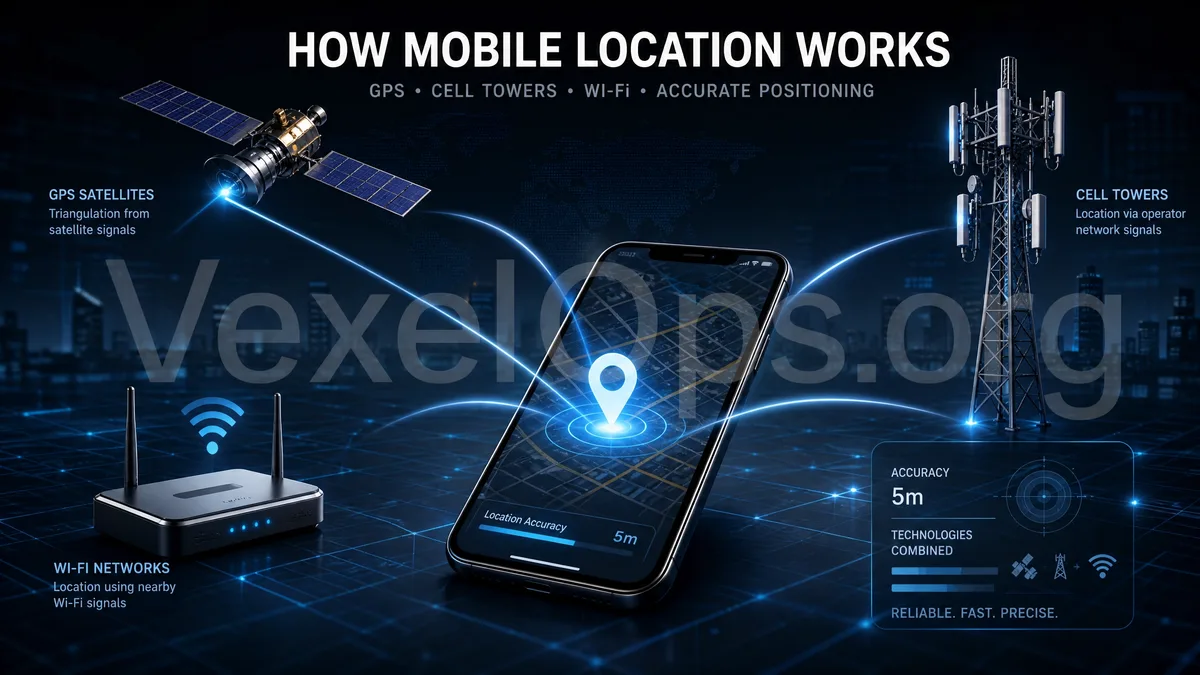
Mobile location is not solely based on GPS; it's a combination of multiple signals.
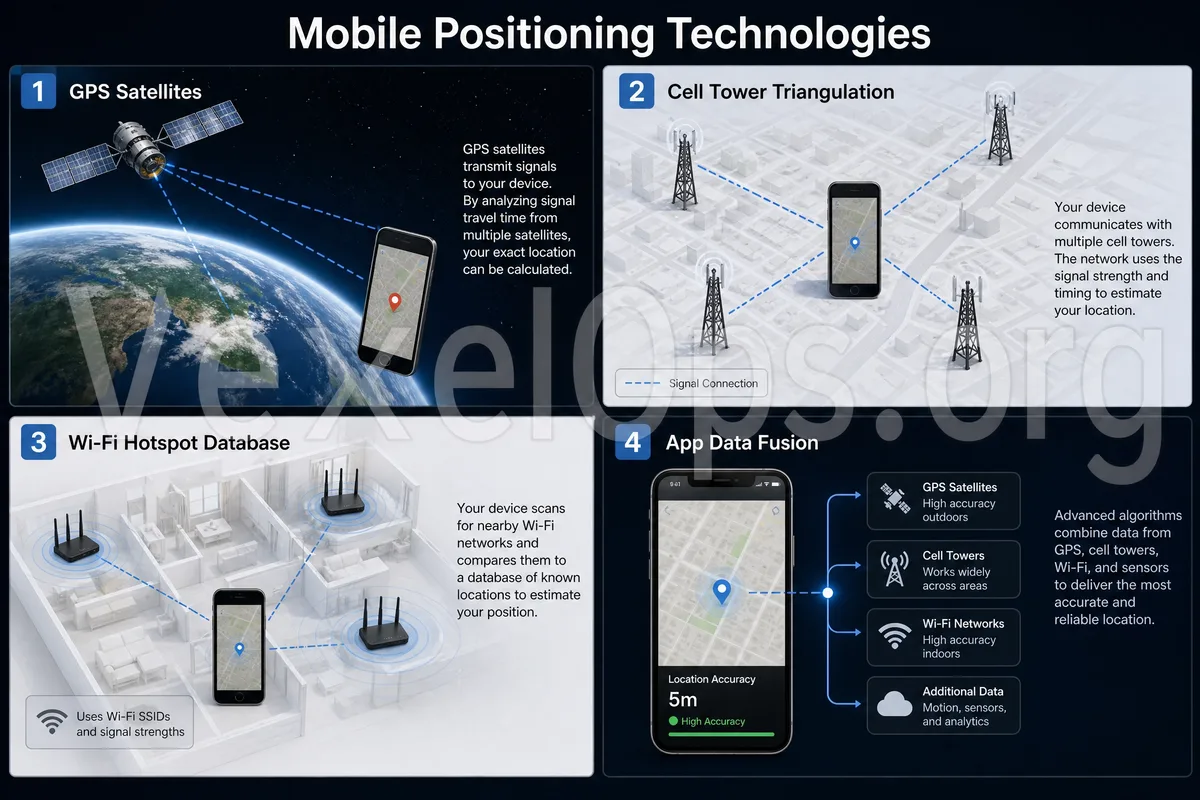
When people hear about mobile tracking, their first thought often goes to GPS. In fact, modern mobile location tracking typically does not rely on just one technology. Instead, it integrates GPS, cellular base stations, Wi-Fi, Bluetooth, IP addresses, and app permissions to determine the device's location. For example, when you use Google Maps for navigation, your phone may simultaneously read GPS satellite signals, nearby Wi-Fi environments, and mobile network base station data, which allows for faster and more stable location determination. Apple Find My on iPhone, Android device location, LINE Live Location, and WhatsApp Location Sharing also work by accessing location data through system location services after user authorization. This is why mobile devices usually provide more accurate locations outdoors. In basements, elevators, indoor parking lots, or places with weak signals, the location may drift or have delays. Location technology is not magic; it estimates based on different signal sources.
The basic principles of GPS location.
GPS determines location through satellite signals. The phone receives time and location information from multiple satellites, and the system calculates where the phone is likely located. Generally, the more stable the satellite signals are that the phone can receive, the more accurate the location result will be. However, GPS has several limitations. It requires a clear view of the sky, so accuracy decreases in densely built areas, indoors, underground, or where signals are obstructed. In those cases, the phone can complement GPS with other location methods such as Wi-Fi or base station information to address the instability of GPS. So, when you see the blue dot on the map moving or jumping, it doesn't necessarily mean the phone is malfunctioning; it may be that the GPS signal is affected by buildings, indoor environments, or network conditions.
How do base stations and Wi-Fi assist in determining mobile location?
Base station location works by estimating where the device is within the range of mobile network base stations it connects to or detects. Generally, this method is less precise than GPS, but it can be very helpful when GPS signals are poor. Wi-Fi location assists in determining location through information from nearby Wi-Fi hotspots. The phone does not need to be connected to a specific Wi-Fi; it just needs to detect the nearby network environments, which can help narrow down the location range. This is why Wi-Fi-assisted positioning can sometimes be more stable than pure GPS in malls, offices, or residential areas. Bluetooth location is often used for indoor positioning, item finders, lost item tags, or proximity sensing for devices, such as certain smart tags, headphones, or device-finding functions. It is typically not used to determine long-distance locations but helps confirm whether a device is nearby.
How is app location achieved?
Apps themselves usually can't 'magically' know your actual location. Normally, apps need to request location permissions from the iOS or Android system. Only after the user grants permission can an app access the location data through system services. This is why when you install Google Maps, Uber, delivery apps, Instagram, Facebook, TikTok, dating apps, or weather apps, the system may prompt for location permission. Common options include: - Always Allow - Allow while using the App - Allow Once - Don’t Allow - Ask for Precise Location From a security perspective, not all apps need to have 'Always Allow' location enabled. Navigation, ride-hailing, and delivery may require real-time location, but social apps, camera filter apps, or seldom-used tool apps typically do not need long-term access to location.
Why is it usually untrustworthy to claim 'you can locate someone just by entering their phone number'?
Some websites or advertisements online claim that you can directly locate someone’s phone just by entering their phone number, Telegram account, WhatsApp number, or LINE ID. Such claims are often very suspicious. In a normal legal context, obtaining a phone's location typically requires several conditions to be met: the device must have location capabilities, the user must grant permissions, the system or app must have legal authority, data must be transmitted to a designated service, and the account or device must be in a connectable state. In other words, the average person cannot simply use a phone number to arbitrarily locate someone else's phone. The common intent behind such websites could be to induce payment, trick people into providing personal information, request downloads of suspicious apps, or prompt users to enter information for accounts such as Google, Apple ID, Telegram, WhatsApp, and more. Legitimate location technology is applied in navigation, recovering one’s device, voluntary sharing of location among family members, logistics, ride-hailing, delivery, or enterprise authorized management, rather than for stalking, tracking, spying, or locating others
What should you check if you suspect location features are being abused?
If you suspect that your location is being excessively tracked, it’s advisable to start with legal and safe ways to check instead of downloading unknown tracking tools. Consider checking: 1. The location permission list on your iPhone or Android device. 2. Which apps have been allowed to 'always use location'. 3. If there are unfamiliar device logins on your Google account or Apple ID. 4. If LINE, WhatsApp, or Telegram have previously shared live location. 5. If you have installed unfamiliar APKs, profiles, or remote management tools. 6. If there are dating apps or social apps showing overly precise distance information. 7. If there are unfamiliar apps operating in the background for long periods in battery usage. If the issue involves suspicious apps, unfamiliar logins, location sharing, scam customer service guidance, or someone tracking your movements, it's recommended to organize a timeline along with relevant screenshots, rather than hastily deleting all records. VexelOps can assist users in organizing location privacy incidents, analyzing potential risk sources, clarifying app permissions and account security checks, and aiding in preparing for subsequent platform
Understanding location technology to discern real risks from exaggeration.
Mobile location technology itself is not mysterious; it relies on a combination of GPS, base stations, Wi-Fi, Bluetooth, IP addresses, system permissions, and app settings. The real concerns should not be normal navigation or location sharing features, but unauthorized tracking, suspicious apps, unfamiliar logins, and scam websites that claim they can 'directly locate anyone'. When you understand how location technology works, it's easier to determine which features are reasonable and which claims are just exaggerations. For the average user, regularly checking location permissions, logged-in devices for accounts, and real-time location sharing status is the most practical first step to protect location privacy.