
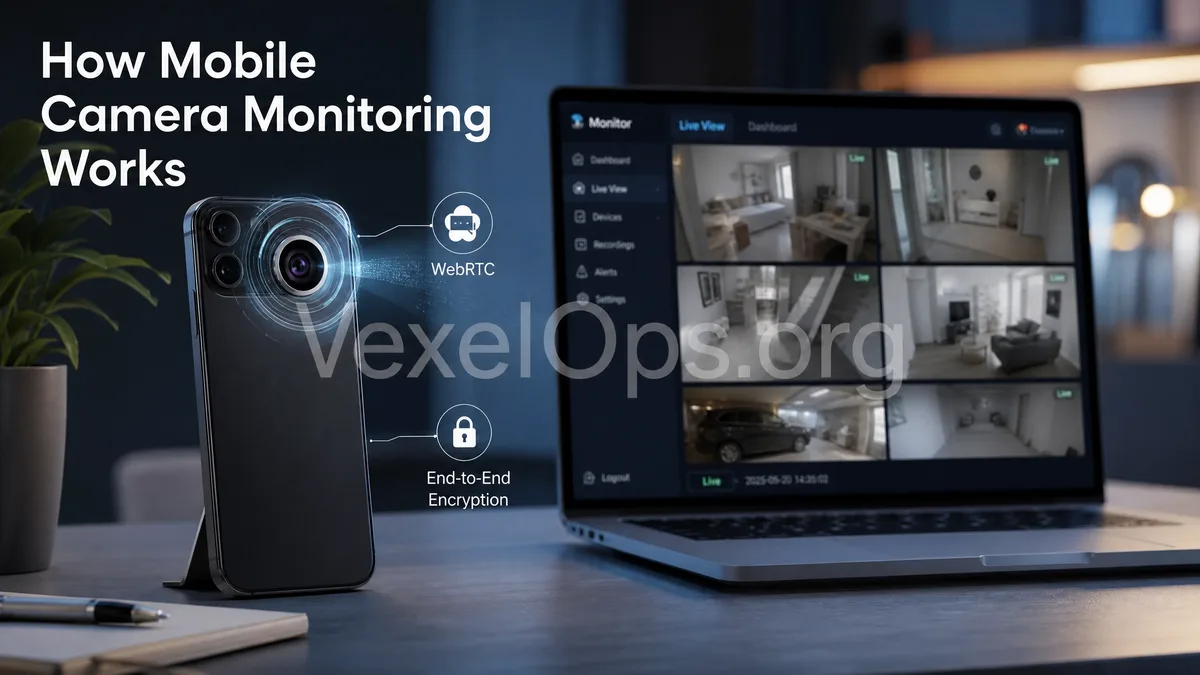
Seeing the Camera Feed Remotely is Not "Turning On the Camera from Afar"
Many people hear "remotely activating the mobile camera" or "real-time mobile monitoring" and think that simply knowing a phone number, IP address, or social media account can directly turn on someone else's camera. In reality, in a normal and legal iPhone or Android system, apps cannot bypass permissions to activate the camera without the user’s knowledge. Genuine and legal remote video setups rely on several conditions: having an app installed on the phone, user authorization for camera access, the app running or complying with system background rules, the phone being connected to the internet, and the video feed being transmitted through an encrypted channel. Video calls on platforms like WhatsApp, Telegram, FaceTime, Zoom, Google Meet, and Discord, or certain home monitoring, baby monitor, or repurposed phone camera apps, are fundamentally "real-time video streams after user authorization", not unconditional remote camera activations.
What Processes are Usually Required for Legal Remote Video?
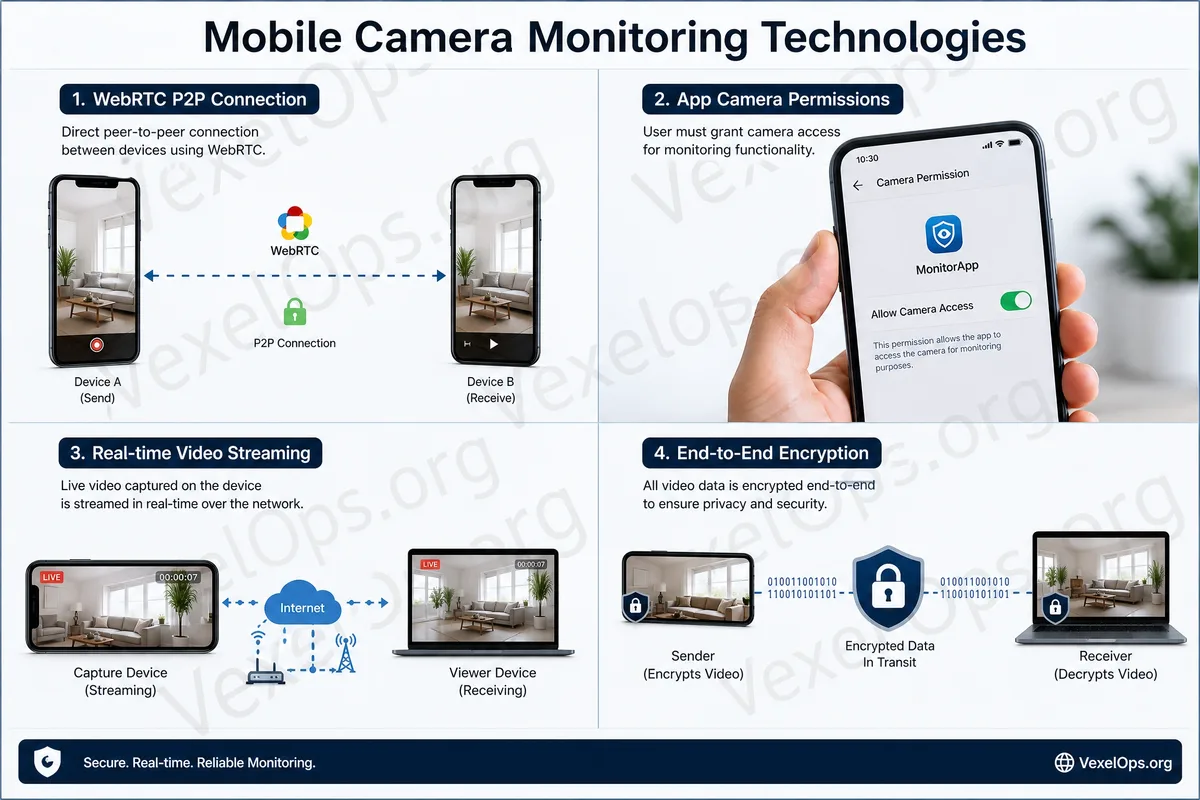
From a technical standpoint, a legal remote camera feed transmission generally involves the following processes. The first step is authorization of permissions. The app must request camera, microphone, and internet permissions from iOS or Android systems. Once the user allows it, the app can access the camera feed. Modern mobile systems typically display notification prompts when the camera or microphone is in use, such as the green dot indicator on iPhone or permission indicators on Android. The second step is capturing the video. The app uses the camera interface provided by the system to obtain real-time video, which is then compressed and encoded. Common video formats are processed for optimal internet transmission, reducing latency and data consumption. The third step is establishing a connection. Many real-time video services employ technologies like WebRTC to create low-latency audio and video connections between two devices. When the network environment is more complex, such as both parties being behind NAT, firewalls, or mobile networks, the system might need to assist through relay servers. The fourth step is encrypted transmission. Regular video calls or remote
What are the Differences Among WebRTC, RTSP, and Cloud Monitoring?
WebRTC is commonly found in browser-based video calls, real-time communication, and low-latency interaction scenarios, such as Google Meet, Discord web calls, or certain customer service video functions. Its advantage lies in high immediacy, making it suitable for two-way communication. RTSP, on the other hand, is more frequently used with traditional IP cameras or monitoring devices to stream camera feeds to local or remote players. However, monitoring functions on mobile apps may not necessarily use RTSP directly; many choose to use their own cloud or built-in streaming services. Cloud monitoring represents another common model, where mobile devices or cameras send video feeds to platform servers for user login and viewing. This method is more convenient, but it also heavily relies on the security of platform accounts. If login details are leaked and two-factor authentication is not applied, outsiders might not be "hacking into the mobile camera" but rather logging into your monitoring account to view the feed.
Why is Suspicious Monitoring App Risk High?
If certain websites claim that "you can turn on someone else's camera just by entering their phone number", "one click can monitor any mobile device", or "you can see someone else's feed without installing any app", these claims are usually very suspicious. Such statements are either scams or may lead to the download of malicious software. Common risks of suspicious monitoring apps include: 1. Requesting excessive permissions such as camera, microphone, location, SMS, and accessibility services. 2. Guiding users to install unclear APKs, profiles, or enterprise management tools. 3. Asking to disable security scanning or ignore system warnings. 4. Packaging unauthorized tracking as "partner monitoring", "employee monitoring", or "child monitoring". 5. Potentially stealing the users' own accounts, photos, contacts, or payment information in return. Legitimate security uses should be based on clear disclosures, consent from the subject, device ownership, and legal allowances. Monitoring someone else's camera without consent may involve severe privacy violations and legal risks.
How Can You Check If Your Camera is Being Used by Suspicious Apps?
Ordinary users can start by checking the phone's system settings. iPhones allow users to view camera permissions under privacy settings, while Androids can check which apps have access to the camera, microphone, and location permissions through permission management. It is advisable to check for:
- Any unfamiliar apps or APKs recently installed
- Any unfamiliar apps possessing camera permissions
- Frequent notifications about camera or microphone usage
- Battery usage showing unfamiliar apps running in the background for long periods
- Suspicious logins to Google, Apple ID, or monitoring app accounts
- Requests from fake customer service to enable remote assistance or install tools
If you suspect that the camera, microphone, or remote video functions of your phone are being abused, it is recommended to save essential information, such as suspicious app names, installation times, permission screenshots, abnormal login records, and related conversations without hastily deleting all clues.
Understanding Technical Logic to Distinguish Normal Functions from Monitoring Risks
The technical implementation of remote camera feeds is not about mysteriously "turning on a camera from afar", but rather a combination of app permissions, camera capture, video encoding, internet connections, encrypted transmission, and account verification. Normal video calls, home monitoring or meeting tools should clearly inform users that the camera is in operation. VexelOps can assist users in organizing risk events related to cameras and remote monitoring, such as suspicious app permissions, strange logins, fake customer service guidance to install tools, remote assistance software usage records, and checking account security directions. If you are unsure whether your phone is at risk for suspicious monitoring, you can find assistance through VexelOps.org, VexelOps.net, or Telegram @vexelops to understand the assistance process, all the while protecting your privacy and preserving evidence to systematically investigate the source of the issues.