

QR Codes are Convenient but Can Be Misused
QR Codes are now ubiquitous in daily life. They are used in restaurants for ordering, parking payments, event registrations, electronic tickets, Wi-Fi connections, adding friends on LINE, contacting via WhatsApp, and other payments. The convenience of QR Codes lies in not having to manually input a URL; you just need to scan it with your phone camera. However, therein lies the risk: you typically cannot see where the QR Code will actually take you before scanning it. If a QR Code is affixed with a fake sticker, found on suspicious flyers, or appears in messages from unknown sources such as emails or social media, it may lead you to phishing sites, fake payment pages, counterfeit customer service pages, or malicious download pages.
Common Risk 1: Fake Parking Payments and Payment Pages
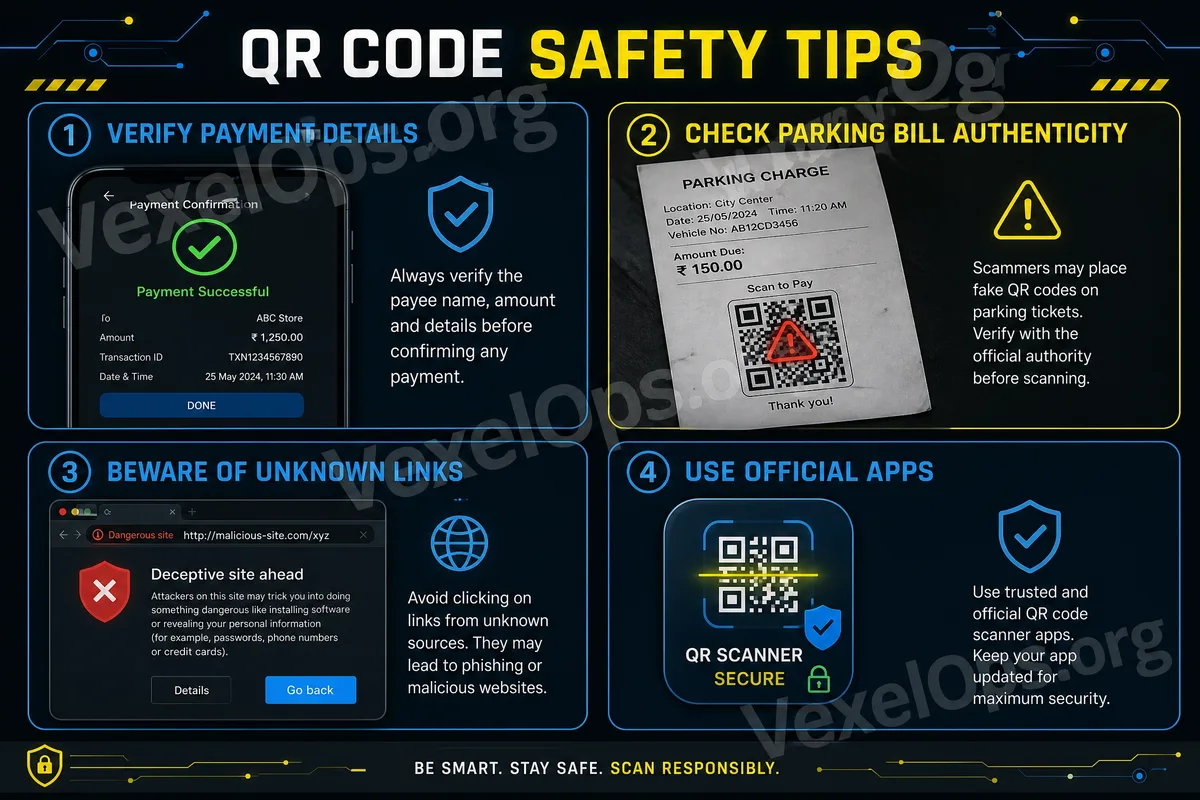
Some QR Code scams may appear in parking lots, on roadside notices, near payment machines, or on paper notifications. Scammers may place a fake QR Code, leading users to believe they are paying parking fees, fines, service fees, or event fees. Upon scanning, the page may look similar to a normal payment page, requesting your credit card information, phone number, email, or verification code. The context may seem reasonable, causing many people to let down their guard. If you intend to scan a QR Code for payment, first confirm whether it originates from official devices, official apps, or trusted merchants. If the sticker looks new, covers the original label, or the URL appears unofficial, do not proceed with the payment.
Common Risk 2: Fake Event Registrations and Prize Claims
QR Codes often appear on event posters, social media posts, prize pages, and printed flyers. Suspicious events may claim that scanning provides discounts, gift cards, free memberships, raffle entries, or limited-time benefits. Such pages may ask you to fill out your name, phone number, email, address, or even require you to log in to social media accounts or provide payment information. What seems like an event registration may actually be a method to collect personal data or guide you into the next step of a scam. If the event is genuinely from a well-known brand, it usually can be verified on the official website, official app, or official social media account. Do not enter information solely based on attractive poster designs or appealing prizes.
Common Risk 3: Fake Wi-Fi Logins or Download Pages
Some public places provide QR Codes for users to connect to Wi-Fi, which is quite common. However, if the source of a QR Code is unclear, it may lead to fake login pages, advertising pages, or prompt you to install unfamiliar apps. If the page that appears after scanning requests you to download an unknown tool, enter social media account passwords, provide verification codes, or enable high-risk permissions, you should terminate the operation. When connecting to public Wi-Fi, it’s best to verify the correct network name with staff, at the counter, or through official signage. Avoid scanning QR Codes placed in corners, elevators, bathrooms, roadsides, or on unfamiliar flyers.
Before Scanning, Make a Few Judgments
Everyday users don’t need to completely avoid QR Codes, but can develop a habit of verifying before scanning. First, assess whether the location where the QR Code appears is reasonable. QR Codes at official cash registers, official websites, or trusted apps are generally more reliable; QR Codes on unfamiliar stickers, roadside flyers, or direct messages from unknown sources carry higher risks. Second, observe the URL displayed after scanning. Many smartphone cameras will show a URL preview before opening. If the URL is lengthy, contains strange spellings, doesn’t match the official name, or uses unfamiliar shortened URLs, proceed with caution. Third, evaluate the requests made by the page. Scanning for a restaurant order should not require inputting bank card information; scanning for event information should not ask for social media passwords or verification codes.
Do Not Enter Sensitive Information on Suspicious Scanning Pages
If the page after scanning requests you to input the following information, you should be especially cautious: account passwords, SMS verification codes, complete credit card details, bank information, identification documents, address, payment passwords, or two-factor authentication codes. Genuine official services usually have clear sources and formal processes. If you are unsure whether the page is trustworthy, you can close it and access official apps or official websites for verification. For instance, you can use official payment apps for transactions; for parking payments, confirm through official parking platforms or onsite machines; for event registrations, access through the brand's official website. Do not treat unknown QR Codes as the only entry point.
What to Do If You Have Scanned and Entered Information?
Core Principles for QR Code Safety
QR Codes themselves are not dangerous tools; they merely package URLs or information in a convenient scanning form. The real risk is when users input personal data or payment information too quickly without knowing the source of the link. The simplest principle is: scanning is okay, but you must verify the source before entering any information. If a QR Code comes from unknown stickers, unfamiliar messages, dubious events, shortened URLs, or untrusted pages, do not rush to log in, make payments, or download. Spending a few seconds confirming the URL and official source can often prevent falling victim to phishing links and payment scams.
If you merely scanned a QR Code without entering data or downloading files, you can close the page without excessive panic. If you have already entered your account password, you should immediately change your password through the official website or app, log out of other devices, and enable two-factor authentication. If you entered credit card or payment information, promptly contact your bank or payment service provider to check for unusual transactions and, if necessary, suspend your card or change your payment method. If you downloaded and installed an unfamiliar app, you should remove it immediately and check your phone's permissions and account login records. If necessary, use security tools to perform checks.