
An Instagram Account Being Frozen Doesn't Always Mean Permanent Loss
Many ordinary users may panic when they cannot log into their Instagram accounts, when their accounts are disabled, when features are restricted, their posts are removed, or they see prompts to appeal. Especially if the account contains years of photos, friendships, direct messages, business pages, or creator content, it can be very unsettling when problems arise. There are different reasons why an Instagram account may face restrictions or be disabled. Common scenarios include suspicious logins, unauthorized actions occurring after an account has been hacked, violations of the Community Guidelines or Terms of Service, excessive actions within a short timeframe, using untrusted third-party tools, or a system error by the platform. Instagram official guidelines indicate that if your account is disabled and you believe it is in error, you can log in to Instagram and follow the on-screen instructions to request a review; if the account is suspected to be hacked, the official account recovery and support processes should be followed.
First, Determine the Type of Problem
Many people may label all situations as "account frozen" or "unfreeze," but different situations require different handling methods.
- Some situations prevent logging in, such as forgetting passwords, email issues or not receiving verification codes.
- Some accounts are hacked, like when emails are changed, phone numbers are swapped, or the account is sending out content not posted by you.
- Some situations involve accounts being disabled, such as seeing a platform prompt about the account being disabled for policy violations during login.
- Some may face feature restrictions, like being unable to comment, follow, post, message, or use certain functionalities.
- Some content may have been removed, for instance, posts, stories, or Reels deemed to violate policies.
Different circumstances cannot be handled in the same way. It is crucial to first check the prompts given by the Instagram App or the official page without rushing to seek help from strangers.
If You Can't Log In, Check Email and Phone First
If you’re simply unable to log into Instagram, the first step should be to confirm whether the linked email and phone number are still accessible. Many account recovery processes will utilize email, SMS, or in-app prompts to complete. If you do not receive the verification code, it could be due to a changed phone number, a deactivated email, SMS delays, or unauthorized modifications to the account information. Instagram’s official Help Center also provides recovery guidelines for situations of inability to log in or loss of access to your email or phone, typically guiding users to choose alternative methods within the App to proceed. In such cases, do not provide the verification code to anyone. The legitimate recovery process should take place within the Instagram App or the official Help Center, rather than through unsolicited direct messages.
If the Account is Hacked, Secure the Core Access First
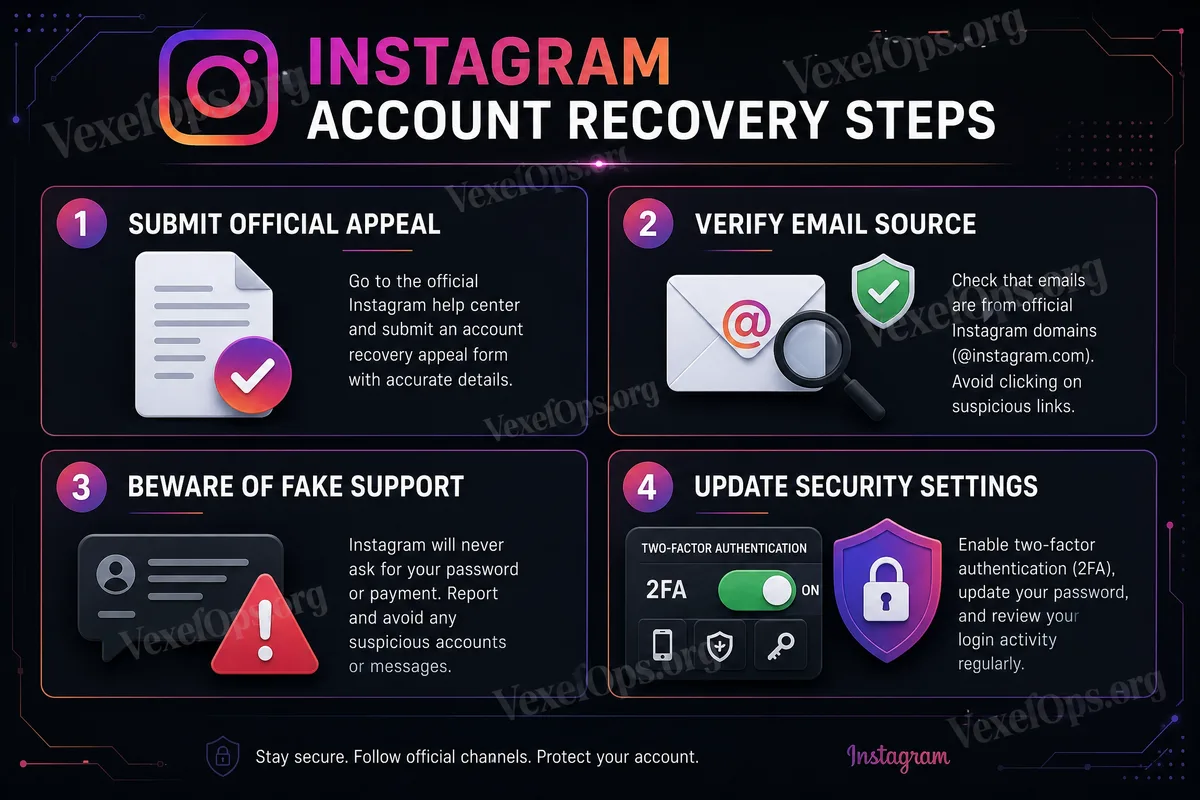
If you find that your Instagram account name has been changed, your profile picture swapped, your email or phone number altered, or friends have received odd messages from your account, treat it as a potential hacking risk immediately. At this point, aside from trying to recover Instagram, ensuring the linked email is secure becomes highly important. This is because security notifications, login alerts, and recovery links from Instagram are typically sent to email. Instagram officially reminds users that if the email associated with the account has been changed, notifications in the original inbox from [email protected] may offer an option to deny the change. If you are still able to log into the account, immediately change the password, log out of unknown devices, enable two-factor authentication, and check the email, phone number, and third-party permissions. If you can no longer log in, follow the official account recovery process and do not utilize unknown "unfreeze" or "recover account" services.
If the Account is Disabled or Restricted, Follow Official Prompts to Appeal
If Instagram indicates that the account is disabled, paused, or restricted, there should typically be a corresponding prompt. At this point, it is most important to operate according to the processes provided by the App or official page, avoiding repeatedly filling out different forms or using appeal links from unknown websites. Instagram’s official notes indicate that accounts failing to adhere to the Community Guidelines or Terms of Service may be disabled; if you think the deactivation was in error, you can log in and follow the on-screen instructions to request a review. When appealing, it is advised to keep responses clear, concise, and factual. Avoid emotional threats to the platform or submitting conflicting information. You can explain why you believe your account has been mistakenly judged and that you are willing to cooperate with the platform’s review, ensuring to comply with platform guidelines thereafter.
Do Not Trust "Guaranteed Unfreeze" Services
When an account is frozen or disabled, many people search for "Instagram unfreeze," "IG account recovery," or "account appeal services" on Google, Telegram, Instagram direct messages, Facebook groups, or X. At this stage, it is easy to encounter secondary scams. Common phrases used include: "Guaranteed unfreeze within 24 hours," "Internal channels recovery," "No need for official processes," "Pay first, unfreeze later," "Need your account password and verification code." These are all very dangerous. Anyone asking you to provide your Instagram password, email password, verification codes, backup codes, identity documents, or to remotely operate your phone should be viewed with high suspicion. The only entity that can effectively handle account status is Instagram / Meta’s official systems and review processes. Third-party services cannot guarantee unfreezing, and should never ask you for login credentials.
What Should You Prepare Before Submitting an Appeal?
If you need to appeal, you can prepare several basic pieces of information: your Instagram username, linked email, linked phone number, whether the account has ever been hacked, recent security notifications received, whether any content removal prompts exist, and the specific reasons provided by the platform. If this is a business or creator account, ensure it does not relate to settings with Facebook Pages, Meta Business Suite, or other Meta account centers. Do not remove any link settings you do not understand, as that can complicate the account recovery process. If the platform requires identity verification, ensure to only submit it via the official App or Help Center processes, and do not send your ID or selfies for verification to strangers.
Post-Recovery Security Organization
If the account is successfully recovered, do not simply return to normal usage without any further action. You should conduct a thorough security check immediately. 1. First, change your Instagram password, ensuring it is not shared with other platforms. 2. Check login activity and log out from unknown devices. 3. Enable two-factor authentication and save backup codes. 4. Confirm the email and phone number are correct. 5. Review account center and third-party permissions, removing unfamiliar connections. 6. Check if there are any posts, Reels, stories, direct messages, or following actions that you did not perform. If the account had been hacked, also alert friends not to click on any suspicious links your account may have sent previously.
There Are No Guarantees of Account Recovery, But You Can Reduce Risks
When an Instagram account is frozen, disabled, or inaccessible, the most important thing is to calmly assess the type of problem and follow the official processes. Do not believe in guaranteed unfreezes, do not provide passwords and verification codes, and do not let strangers remotely operate your phone. Whether the platform reinstates the account depends on official review and the status of the account; no external individual should promise success. What ordinary users can do is: submit accurate information, avoid repeated errors in actions, protect email and phone numbers, clean up account security settings, and refrain from using untrusted tools or suspicious links again. The security of an Instagram account is not only about "appeals after incidents"; it is more crucial to develop protective habits regularly. Passwords, two-factor authentication, recovery email, phone numbers, and login activity are the core elements in reducing account risks over the long term.