

When the moment arrives to reclaim your account, most people’s first reaction is relief, quickly followed by a desire to return to normal usage and put the whole incident behind them. This feeling is entirely understandable, but at this stage, there’s a crucial task that is often overlooked.
Why Is It Not Safe Even After Regaining Your Account?
After an intruder gains access to an account, one common action is to subtly add settings that are beneficial to themselves. These settings typically do not affect the original owner's ability to regain control, yet they allow the intruder to continue observing or accessing certain information in the background.
Items to Check After Regaining Your Account
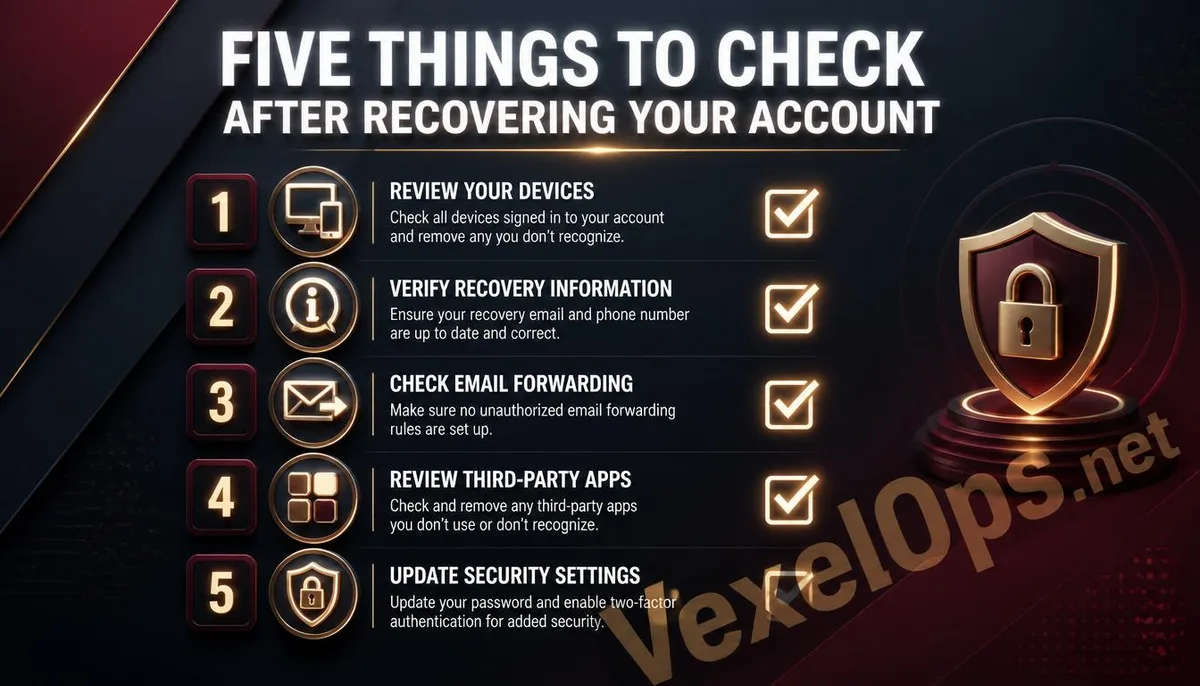
- Check the list of logged-in devices and sessions, log out any unfamiliar devices or ones that you are certain you have not used; this option is usually available in the account security settings.
- Review the account's recovery information, including linked emails, phone numbers, and backup codes, ensuring each contact method is currently in use and under your control. If any items have been replaced, promptly revert or re-establish
- Examine the forwarding and filtering rules in your email; many email services allow automatic forwarding or keyword filtering, which is one of the intruders' most frequent hidden backdoors. Check each rule to see if there are any unknown
- Review the list of third-party app authorizations to identify any applications you do not recall authorizing that still retain access to your account; revoke all unnecessary or unfamiliar permissions.
- Lastly, reset your password to a new high-strength password and enable two-factor authentication, ensuring you do not use any version that was in use during the breach.
Google’s official Account Security Center provides an integrated entry point for most of the checks mentioned above, serving as a practical operational reference.
What to Do If You're Unsure If the Cleaning Was Thorough Enough?
After going through the checks yourself, if you still feel uneasy, or if the services involving your account are complex and you’re not sure about all the possible vulnerabilities, VexelOps can provide assistance at this stage.
Common User Questions About Security Checks After Account Recovery
I’ve Already Changed My Password Once, Do I Need to Change It Again?
Yes. If the first password change happened during the recovery process, before the account was fully restored to your sole control, a window of risk still exists. An intruder might discover this new password through residual sessions or other backdoors while you are unaware. Wait until you’re sure that the account is entirely restored and all suspicious devices have been logged out before resetting to a new password—it’s a more cautious approach.
Are These Check Items Applicable Across All Platforms or Only Specific Services?
The general principles apply to most platforms that offer account systems, including email, social media, and cloud storage services, since they usually have common functionalities such as device management, recovery information setup, and third-party authorizations. However, the specific pathways and option names will differ depending on the platform's interface design. It is recommended that after recovering the account, you directly enter the account settings or security menu of the platform to browse through all listed items, which typically correlates to the checks discussed in this article.
How Soon After Checking Should I Confirm Again for Safety?
There’s no fixed standard answer, but it’s advised to monitor for any unusual notifications or activity logs at least during the first week after account recovery, as some backdoor effects may take time to manifest. Afterwards, consider developing a habit of checking your account's security settings every few months; this practice is not only applicable to accounts that have been previously compromised but is also a crucial preventive measure for any important accounts used over the long term.
One Key Takeaway: After recovering the account, resetting the password is just the first step. The forwarding rules, device authorizations, and third-party access permissions left during the intrusion need to be checked and cleared one by one to truly prevent the intruder from re-entering through residual backdoors.