

In the previous article, we mentioned how mobile ads can be precise to the point of making one wonder if they are being eavesdropped upon; the truth is that this is due to advertising identifiers connecting your behavioral track across apps. Now that you understand the principle, many people may wonder if this thing can actually be turned off. The answer is yes, and it is simpler than you might think; both iOS and Android have this option embedded in their system settings, and no additional apps need to be installed.
How to Disable Ad Tracking on iPhone
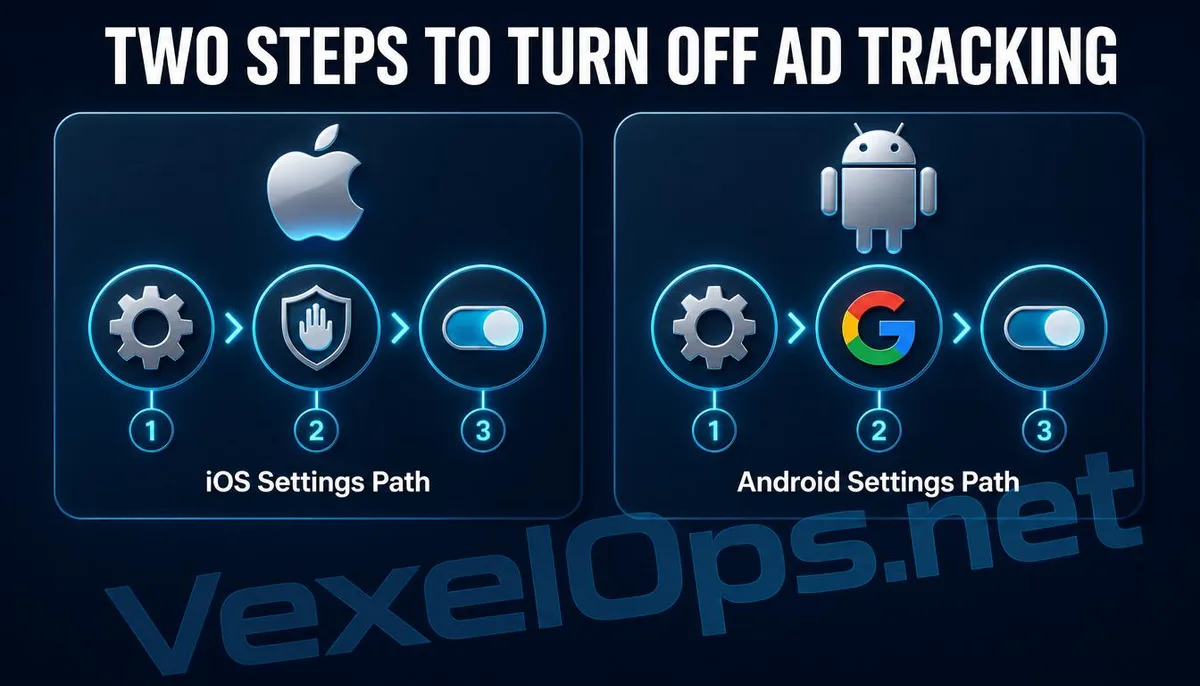
Apple has integrated this feature in two locations within the iOS system, and it is recommended to check both. The first is the App Tracking Transparency settings. The pathway is: Settings, Privacy & Security, Tracking. Turn off the option to allow apps to request tracking. After doing this, when apps want to access your advertising identifier for tracking, the system will automatically reject the request, and no prompt will appear. The second is Apple’s own personalized ad settings, which can also be found under Privacy & Security. Locate Apple Ads and turn off the personalized ad option. This setting controls the ad content displayed in Apple’s App Store and news apps, and is separate from third-party app tracking systems. Apple has also provided explanations on this section in their support page, which you can refer to for further information.
How to Disable Ad Tracking on Android
The approach on Android is similar in logic, but the interface pathways may vary slightly depending on the phone manufacturer’s custom interface. Most devices can find it here: Settings, Google, Ads. Choose to delete the advertising ID, or enable the option to turn off personalized ads. Deleting the advertising ID is more thorough than merely disabling personalized ads because it essentially resets the identifier associated with your device to zero. The system will then generate a new blank identifier, and theoretically, the previously accumulated behavioral records tied to this old identifier across various ad platforms will no longer be associated with your device.
Will Ads Completely Disappear After Turning It Off?
No, this is a common misconception. Disabling personalized ad tracking affects the precision of ad placement, but not whether ads themselves will appear. Apps and websites still rely on advertising revenue to maintain operations, so after turning off tracking, the ads you see will become more general and less targeted, rather than being tailored to your browsing habits. - Personalized Ads: Based on your behavioral data to infer interests, ads are more accurate but involve significant privacy collection. - General Ads: Do not rely on personal behavioral data, ads are less targeted but involve lower levels of privacy collection. If you are indifferent to the ad content and simply do not want to be continuously tracked, turning off this setting will not affect the normal use of the app, and does not require any additional fees, making it one of the most straightforward options available. For a deeper understanding of cross-platform privacy control concepts, you may refer to the Electronic Frontier Foundation for related information on mobile device tracking.
Common User Questions About Advertising Identifier Settings
Will This Setting Automatically Reopen After Turning It Off?
Under normal circumstances, it will not reopen automatically; this is a privacy option set by the user. System updates typically do not alter this setting. However, if the phone is reset to factory settings, or if a new device is set up from scratch, these privacy options will return to their default state, requiring manual re-closure. It is advisable to add this step to your initial setup checklist when acquiring a new phone.
Will Turning Off This Setting Prevent Certain App Functions from Working?
Generally, it will not affect the core functionality of apps because ad tracking and the services provided by the app itself are usually designed separately in terms of technical architecture. A few free apps that rely entirely on ad revenue and have no paid upgrade options might display more generic and less precise ad content as a result, but it will not cause the app to fail to open or its functions to be disabled. If you encounter an app that requires tracking to be enabled to use it, this situation itself warrants attention to the app's privacy policy.
Which System Offers Better Default Privacy Protection: iOS or Android?
Both systems have been continuously enhancing their default privacy protection mechanisms in recent years, but the implementation methods differ. Since the introduction of the App Tracking Transparency mechanism, iOS requires apps to explicitly request user authorization for cross-app tracking, making this requirement relatively strict. On the other hand, Android has gradually opened up users’ control over deleting or resetting their advertising ID. The factory default settings and actual protection levels of each system can vary with system version updates. Instead of comparing which system is inherently safer, it is better to develop a habit of regularly checking your device's privacy settings to maintain a certain level of protection regardless of the system used.
One Key Takeaway: Turning off ad tracking only takes a few minutes. On iOS, this is done in two settings: Tracking and Apple Ads. On Android, you can directly delete the Ad ID. This action will not make ads disappear, but it can significantly reduce the ad platform's ability to accurately infer your personal behavior.