
Why is Telegram Safety Worth Noting?
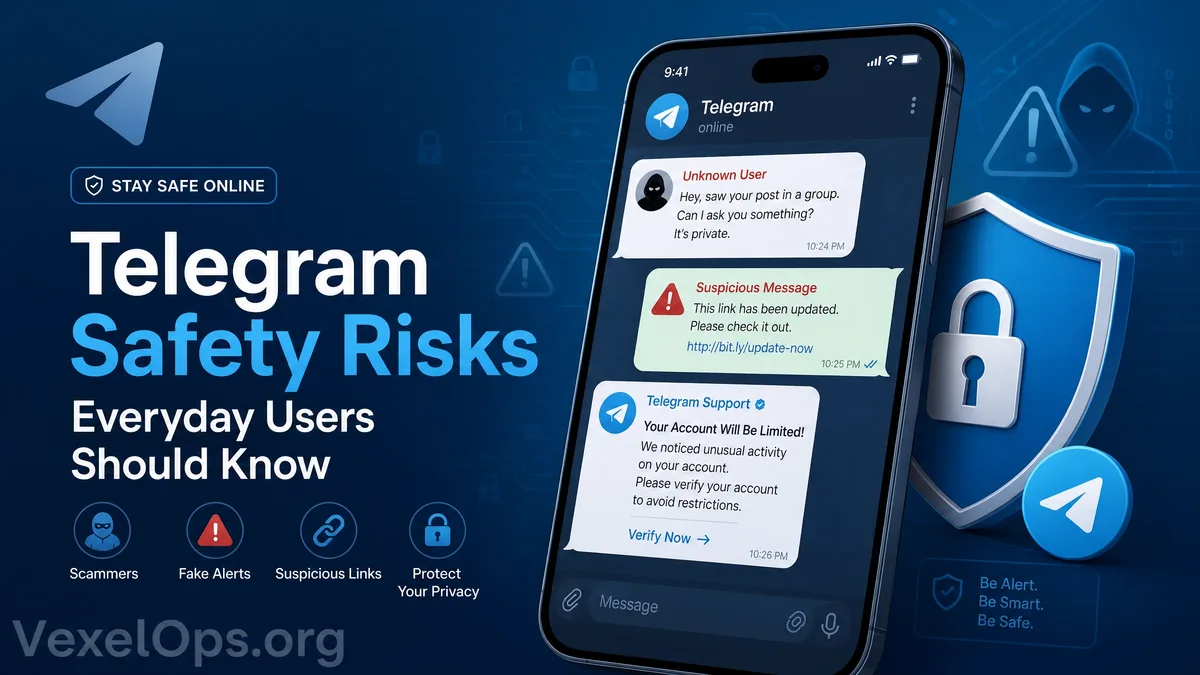
Telegram is a communication tool that many people use to chat, join communities, receive information, or conduct work contacts. It's user-friendly, with strong group and channel features, attracting a large number of ordinary users and various types of communities. However, because Telegram is quite open, users encounter strange messages, fake customer service, suspicious group links, investment scams, fake event notifications, or accounts impersonating acquaintances more easily. For ordinary users, Telegram itself is a tool, and its safety largely depends on how you set up your account, how you judge messages, and whether you pause to confirm unfamiliar links. Using Telegram does not automatically mean danger, but if you do not check privacy settings at all or fail to recognize unfamiliar message sources, it may increase the risk of scam, data leakage, or being misled into actions.
Risk One: Strange Messages and Fake Customer Service
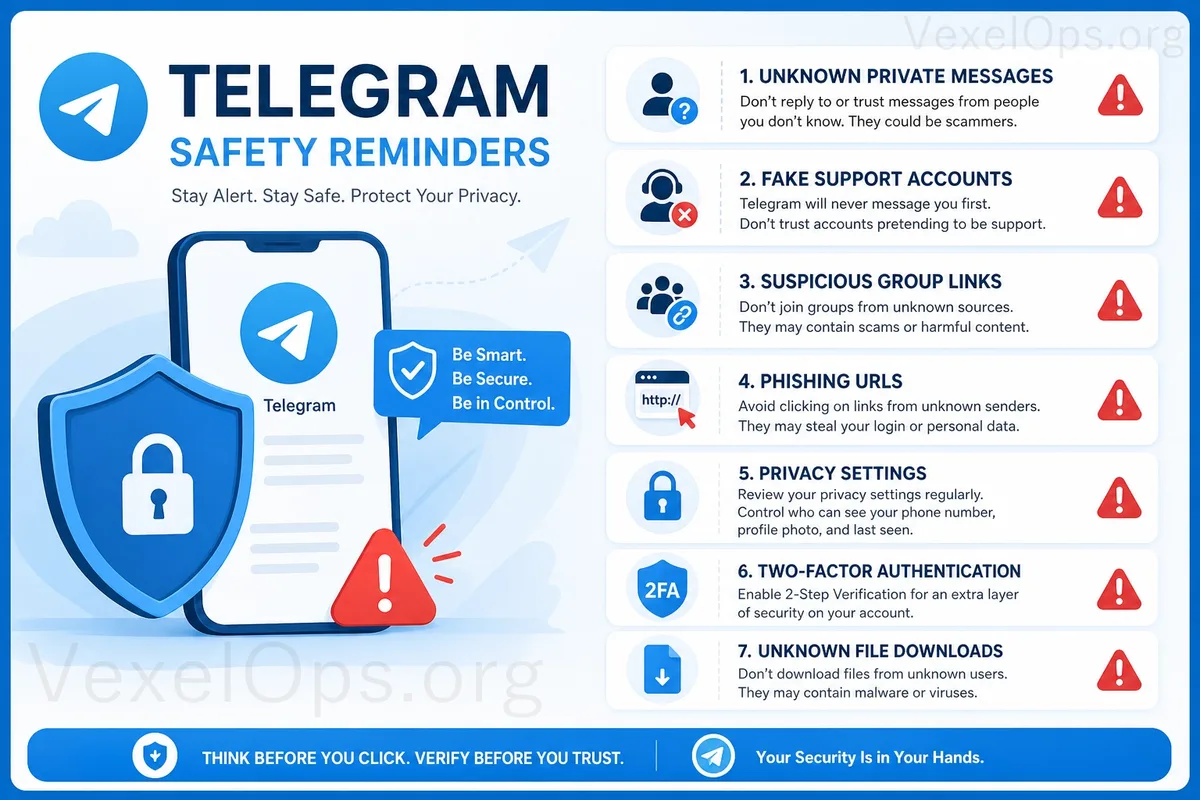
One of the most common risks on Telegram is receiving messages from strangers. The sender may pretend to be customer service, a platform administrator, an investment advisor, event staff, or even a fake account impersonating a group administrator. Common phrases include: ‘Your account needs verification’, ‘You violated platform rules’, ‘You have won a prize’, ‘You need to join a new group’, ‘Please click the link to complete security verification.’ These messages often create a sense of urgency, causing you to click links or provide information without thinking. Ordinary users should remember: Genuine services typically won't request that you provide passwords, verification codes, backup codes, payment information, or identity documents through strange Telegram messages. If someone urges you to take immediate action or provide sensitive information, you should be on high alert.
Risk Two: Suspicious Group and Channel Links
Telegram groups and channels are convenient, but they can also be used to spread suspicious information. You may receive invites from strangers to join groups or encounter Telegram group links on other platforms. These groups might be packaged as investment exchanges, promotional activities, tech communities, part-time opportunities, or internal information sharing. Once you join a group, you may see many people sharing profit screenshots, success stories, limited-time amount offerings, or customer service guides. These contents are not necessarily genuine; some groups may create the illusion of many participants and successes through fake accounts and arranged conversations. When encountering unfamiliar groups or channels, don’t assume credibility just because there are many members, lively chats, or screenshots being shared. Do not click on unfamiliar links, download unknown files, or make transfers based on so-called customer service instructions within the group.
Risk Three: Phishing Links and Fake Login Pages
Some Telegram messages or group messages may include links claiming you need to log in, verify, claim rewards, or lift restrictions. These links may lead to phishing sites that resemble official login or customer service pages, but their purpose may be to collect your account, password, phone number, or verification code. Before clicking on Telegram links, ordinary users should check the message source and link content. If the URL seems odd, contains misspellings, uses strange domains, or if the sender persistently urges action, you should avoid clicking. If you need to check your account status, it is advisable to open the official app or website directly rather than entering through links in unfamiliar messages.
Risk Four: Not Checking Privacy Settings
The privacy settings on Telegram are essential for ordinary users. You can check who can see your phone number, last seen time, profile photo, forwarded message sources, and who can add you to groups or call you. If the settings are too open, strangers may find it easier to locate you, view your information, or add you to groups you do not want to join. This may not immediately lead to severe problems but increases the chances of harassment, scams, or data collection. Ordinary users are advised to regularly check Telegram’s privacy settings to restrict unnecessary public information to ‘My Contacts’ or stricter options. For those unknown to you, you can also limit their ability to add you directly to groups.
Risk Five: Not Enabling Two-Factor Authentication
Telegram accounts are typically associated with phone numbers, but relying solely on a phone number doesn't mean it is secure enough. If someone attempts to log into your account or if your verification code is compromised, your account may be at risk. Telegram offers the option to set a two-factor authentication password. Once activated, in addition to the login verification code, an extra password is required for protection. This is an important security setting for ordinary users. After enabling two-factor authentication, be sure to securely save the password and recovery email. Do not provide the verification code or two-factor authentication password to anyone. Anyone who requests your verification code via messages should be considered high-risk.
Risk Six: Downloading Unknown Files or Installing Strange Tools
Telegram allows file transfers, making data sharing convenient, but it also brings security risks. Strangers or untrustworthy groups may send compressed files, installers, documents, scripts, or unknown apps, claiming to be tools, tutorials, investment software, customer service programs, or security verification tools. Ordinary users should refrain from downloading or installing files from unverified sources. Even if a file name seems normal, it does not guarantee safety. Especially when the other party asks you to disable protection, install additional programs, or grant high permissions, you should stop immediately. If you really need to download a file, confirm that the source is trustworthy, and avoid opening unknown files on primary work devices or devices where important data is stored.
Basic Safety Habits for Using Telegram
Telegram is a convenient communication tool, but ordinary users should still develop safety habits. You can start with a few simple items: restricting privacy settings, avoiding public phone numbers, not trusting strange messages, not logging in from suspicious links, not providing verification codes, avoiding joining unknown groups, and not downloading unknown files. If you use Telegram for important contacts, you should further verify the identity of the other party. When faced with requests regarding payments, account recovery, identity verification, or sensitive data, you should confirm again through other reliable means. True safety is not about ceasing to use a platform, but knowing which situations require heightened vigilance while using it. For ordinary users, just achieving 'not rushing to click links, not providing verification codes, not trusting strange customer service, not installing unknown files' can significantly reduce many common Telegram usage risks.