

Browser fingerprinting is not a cookie, but can still help identify the user environment
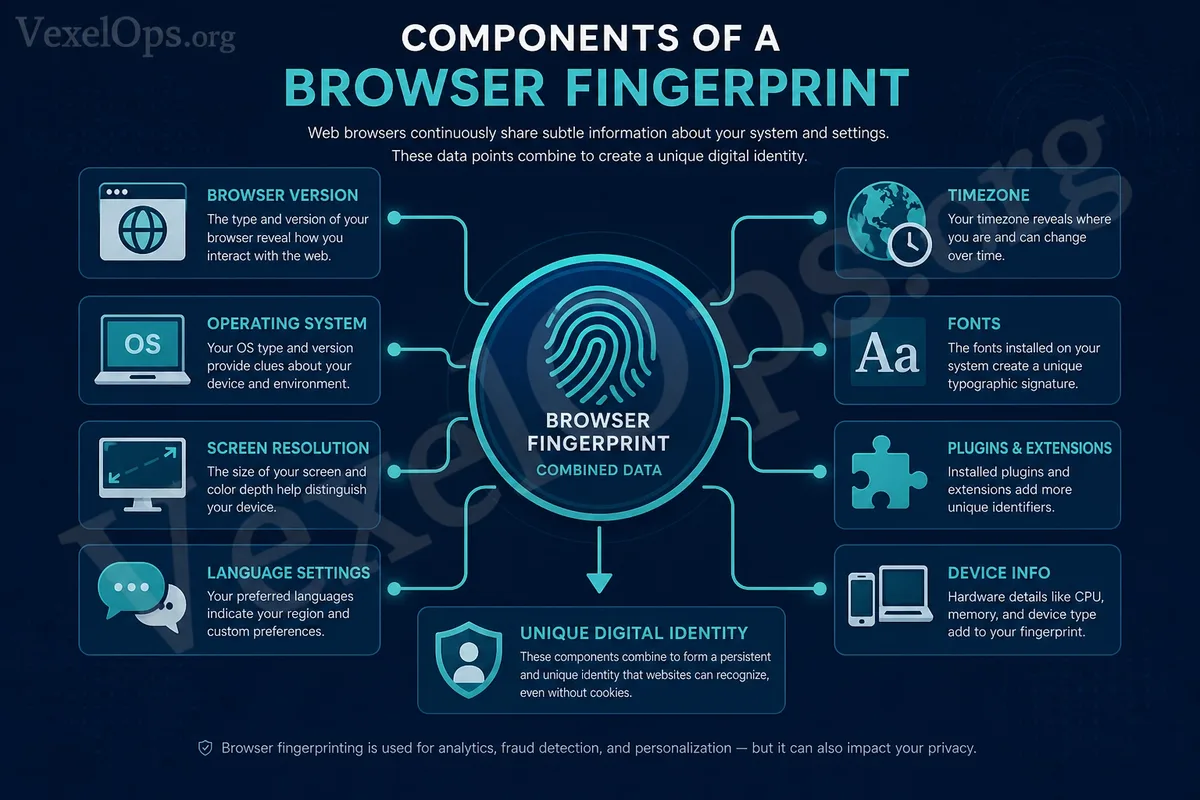
Browser fingerprinting is a method where websites collect identifiable feature combinations using browser, device, and environmental information. Cookies are data stored in the browser, while fingerprints are derived from clues like browser version, operating system, screen resolution, language, timezone, fonts, plugins, and hardware or graphic rendering information.
Incognito mode does not mean websites can’t see you
Incognito mode mainly prevents local storage of browsing history, cookies, or form data, but it does not mean that websites cannot see your browser environment. If some websites use fingerprint tracking, they may still determine whether it resembles the same user, based on environmental features.
Fingerprinting has legitimate uses but also privacy controversies
Websites may use fingerprinting for risk assessment, fraud prevention, bot detection, or security protection; advertising and analytics services may also use it to track user behavior across sites. This does not mean every website is malicious, but it reminds users that online privacy is related not just to the data you input, but also to your device environment.
Reducing risks starts with your browser environment
Regularly check cookies, third-party tracking, site permissions, notification permissions, and autofill data. Avoid installing too many unnecessary plugins, as they can create environmental differences and may introduce additional security risks. Keeping your browser updated can reduce issues related to old version vulnerabilities and outdated settings.
Do not think of it as a universal tracker
Browser fingerprinting cannot consistently and accurately identify a specific person; different browsers, settings, and device environments will influence the results. Ordinary users do not need to stop using the internet because of this, but should instead manage plugins, permissions, cookies, and sensitive login scenarios more consciously.
By understanding browser fingerprinting, you can better grasp the relationship between cookies, advertising tracking, site permissions, and device environments. It is part of your digital footprint, but not the only risk.