
Why do many engineers not open Task Manager first when encountering problems?
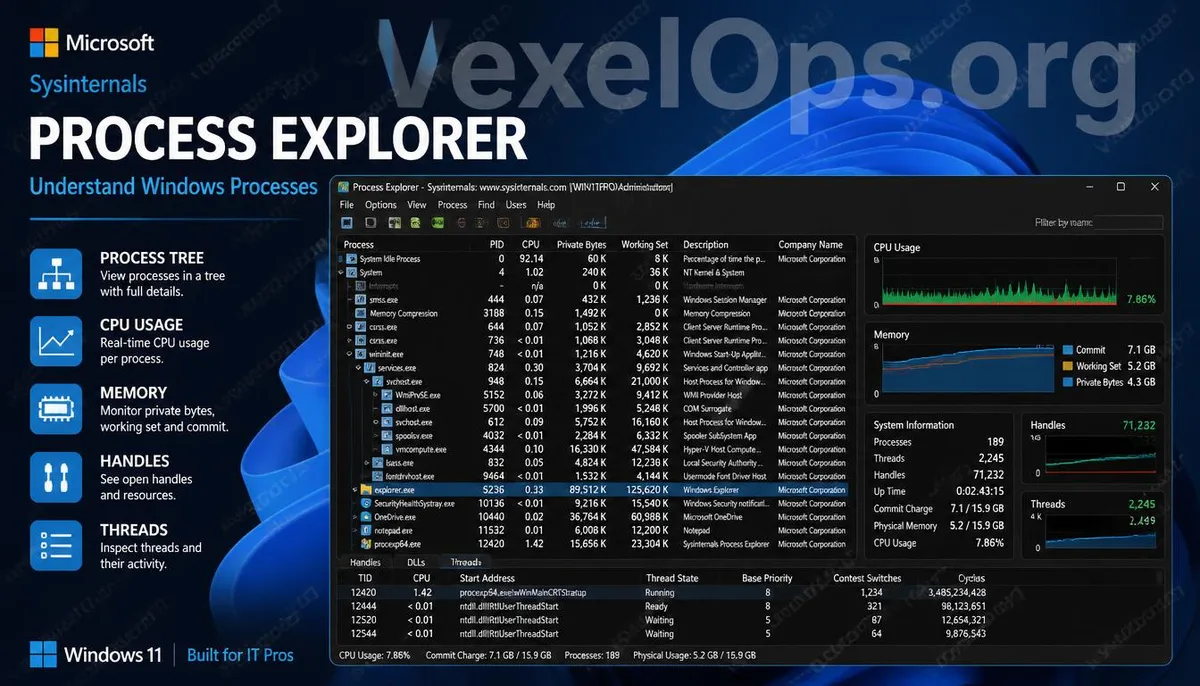
When a Windows computer suddenly slows down, the fan runs continuously at high speed, or a program won't close, most people's first reaction is to press Ctrl + Shift + Esc to open Task Manager and check CPU or memory usage. This approach is not wrong, as Task Manager does provide a quick reflection of the current resource status. However, when problems become more complex, such as when a program consistently creates new processes, unknown services repeatedly start, or the need arises to check associations between different processes, the information provided by Task Manager may be insufficient. Therefore, many IT engineers, system administrators, and cybersecurity researchers switch to another Microsoft-provided tool—Process Explorer.
What is the biggest difference between Process Explorer and Task Manager?
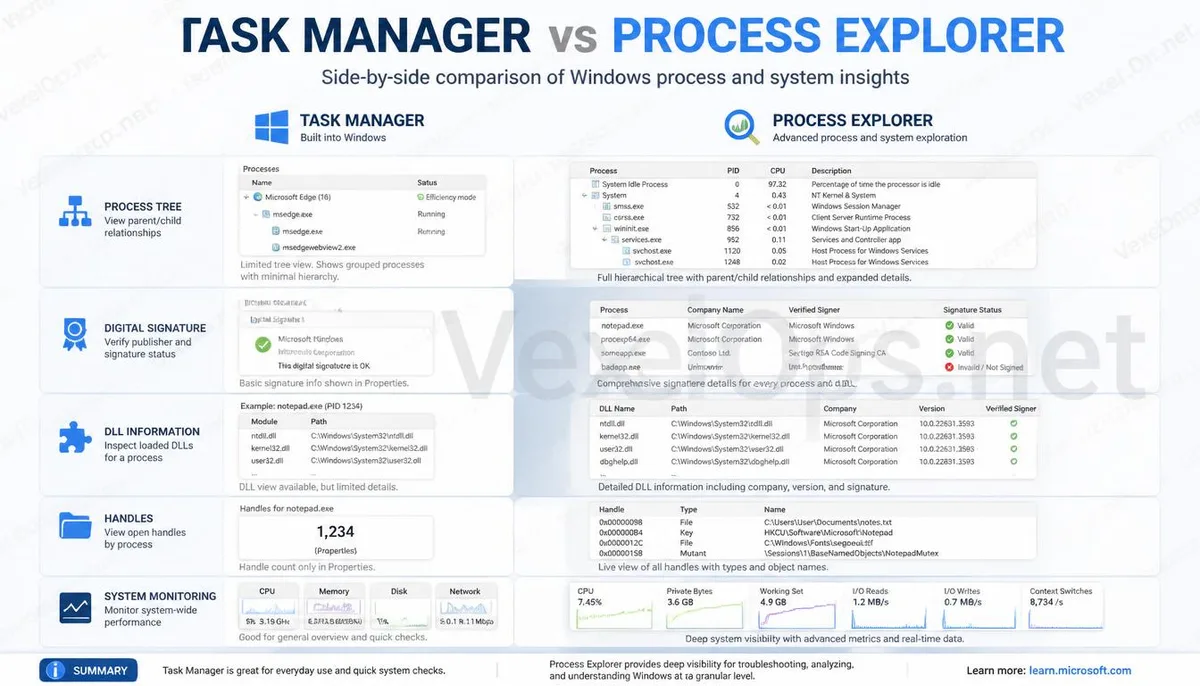
The first time you open Process Explorer, many people may be intimidated by the interface. Unlike Task Manager, which only has a few simple tabs, it directly lists a complete process tree, parent-child process relationships, DLL loading status, digital signatures, and a wealth of information. At first glance, it may seem very complicated, but this information is crucial for analyzing system anomalies. For example, if a normal Windows process suddenly starts an unfamiliar subprocess, or if the same program continuously creates new background processes, these anomalies can quickly be identified through the process tree. This is also why many professionals prefer to use Process Explorer rather than rely solely on Task Manager.
More powerful tools aren't necessarily suitable for everyone.
Many people, upon first encountering Sysinternals tools, may have the illusion that since there is more information, it must be better than Task Manager. This is not the case. If you only need to check which program is using the most memory or which application is unresponsive, Windows Task Manager is usually sufficient, and its operation is also more intuitive. The value of Process Explorer lies in its ability to offer more details for further analyzing program sources, checking program associations, or studying system behavior. Therefore, it is more like a professional tool, rather than a one-size-fits-all solution that needs to be used every time. Understanding the positioning of each tool can truly enhance analysis efficiency more than simply pursuing more features.
A good analysis tool is more about helping you understand the system.
The true value of many system tools is not in their ability to quickly identify viruses but in enabling users to understand what Windows is doing. The wealth of information provided by Process Explorer may seem overwhelming at first, but as users gradually understand the relationships between processes, they will find that it actually helps them build an understanding of how Windows operates, rather than just providing more data. This is also an important reason why Microsoft has continued to maintain Sysinternals tools for many years, and why they remain popular among engineers. It does not replace Task Manager but supplements the details that Task Manager cannot see. When you understand which tool is suitable for addressing what problem, you will also have better direction in facing system anomalies, rather than hastily downloading more tools from unknown sources.
Common Questions about Process Explorer
Is Process Explorer an official Microsoft tool?
Yes. Process Explorer is part of the Microsoft Sysinternals toolset and is currently maintained and provided for download by Microsoft, making it relatively reliable. It is recommended to obtain the latest version through the official website rather than installing it from untrusted download sites to reduce the risk of downloading a modified version.
Can I find all viruses using Process Explorer?
Not necessarily. Process Explorer can provide very detailed process information, helping users observe which programs are running and the relationships between processes, but it is not antivirus software. In practice, it is typically used in conjunction with Windows Defender, VirusTotal, or other security tools for cross-verification.
Do general users need to install Process Explorer?
For everyday computer use, Task Manager is often sufficient in most cases. However, for those interested in learning about how the Windows system operates, analyzing abnormal processes, or having an interest in information security, Process Explorer is a tool worth getting to know, and is often used by many engineers for system analysis.