
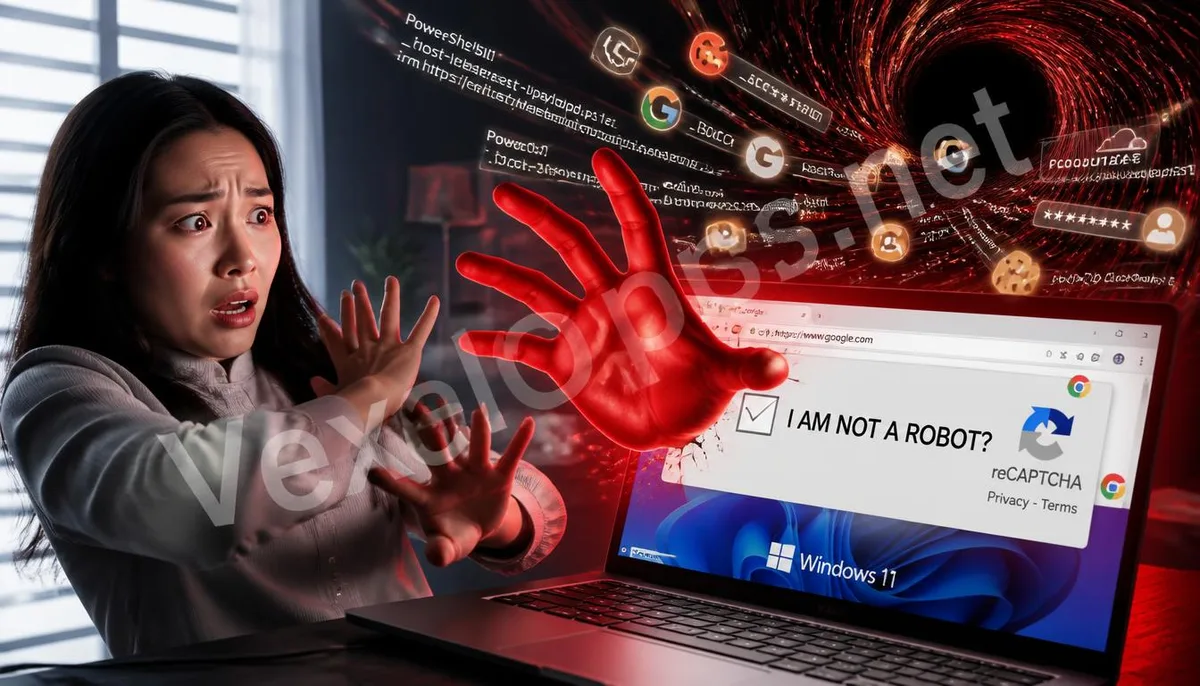
Why 'I am not a robot' Becomes Dangerous: How Fake CAPTCHAs Fool Intuition
CAPTCHA is designed to distinguish between humans and automated programs, and services like Google reCAPTCHA and Cloudflare Turnstile have made checkboxes and image verifications familiar web experiences. The problem is that after users see similar prompts too many times, they easily develop verification fatigue, wanting to quickly complete steps to access videos, download pages, or search results. ClickFix exploits this brief moment of impatience, turning security symbols into entry points for social engineering. Scammers may create counterfeit websites or embed fake verification screens into compromised legitimate pages. The screens typically imitate the colors, checkboxes, and loading animations of Google or Cloudflare and then claim browser validation failures, that content cannot be displayed, or that manual security checks are required. The real anomaly is not in the appearance but in its requests for users to leave the browser, opening Windows run commands, command prompts, or PowerShell. Certain pages may secretly write incomprehensible text into the clipboard when the verification button is clicked, guiding users to press the Windows key and R key, paste in the content,
- The screen looks familiar, mimicking the colors and structures of mainstream verification services
- Steps appear simple, wrapping dangerous system operations in three keyboard shortcuts
- The outcome seems normal; executing it may return to the original webpage without immediate warnings
What’s Hidden in the Clipboard: How PowerShell Commands Open Trojan Entrances
The clipboard temporarily stores text and does not inherently allow computers to get infected. The risk arises when users paste the hidden text into Windows system tools and press execute. This content may be obfuscated PowerShell commands, or it may call legitimate system components that download further files from websites controlled by scammers. The entire infection chain does not require traditional installation wizards, so victims may not see obvious download progress or application icons. The implanted programs may belong to information-stealing trojans targeting account data, login sessions, browser cookies, email credentials, and cryptocurrency wallet information stored in Chrome, Edge, or Firefox. Some attacks may also create scheduled tasks, startup items, or other persistent execution mechanisms to enable the program again after a reboot. Once data has been exfiltrated, unfamiliar logins may start appearing in Instagram, Facebook, Telegram, Google, or Microsoft accounts, and even if passwords have not been changed, it cannot be deemed safe based solely on the ability to continue using the account.

What to Do if You’ve Already Pasted and Executed: Four Immediate Actions to Stop the Damage
If you only clicked the copy button without pasting the content into system tools and executing it, the infection risk is usually lower. You can close the page, overwrite the clipboard with normal text, and check if the browser has added downloaded files, notification permissions, or suspicious extensions. If you’ve pasted the content and pressed execute, treat the incident as potentially infected, rather than waiting for account anomalies to address it.
- Immediately unplug the network cable and turn off Wi-Fi to limit further data leakage
- Save the URLs, verification screens, execution times, and screenshots of suspicious commands
- Use a clean device to change passwords for email and important accounts
- Revoke existing login sessions and enable multi-factor authentication
After disconnecting from the network, do not rush to delete all records, nor log into more accounts on a suspicious computer for testing. You may use trusted offline scanning tools to examine the system, and check Windows security logs, task scheduler, startup items, and recent downloads. Involving company computers, cryptocurrency wallets, or multiple accounts warrants saving necessary evidence before reinstallation, or else you might lose clues for determining the infection's timing and impact.
Even if it Appears Normal, Check Accounts and Devices: How to Re-establish Security Boundaries
Removing the trojan does not mean leaked login data will automatically become invalid. The disposal focus should concurrently cover devices, accounts, and existing sessions. Email often serves as a reset gateway for other services, so priority checks should include backup mailboxes, forwarding rules, application passwords, and unknown devices. Platforms like Google, Microsoft, and Meta provide records of recent logins and security activities that can be compared against irregular locations, times, and browser information. Password updates should occur on trusted devices, and you should not modify only one reused password. If the browser previously stored a large number of credentials, consider changing them one by one based on importance, and revoke unknown extensions and external application authorizations. If a cryptocurrency wallet was unlocked on an affected computer, consider that recovery phrases or private keys may have been read, and simply changing the trading platform password may not be sufficient. If events simultaneously involve unfamiliar logins, asset changes, or multiple devices, VexelOps can assist in organizing execution times, account activities, and
Frequently Asked Questions about the ClickFix Fake CAPTCHA Attack
Why Didn’t Antivirus Software Immediately Block the Pasted Code?
ClickFix utilizes PowerShell, Windows run commands, and other legitimate system tools to complete the infection chain. When users personally paste and execute commands, the system may view the action as normal administrative operations. Scammers also confuse texts, download content in segments, or allow some processes to run only in memory to reduce the chances of static file scanning detecting anomalies. This does not mean all security software cannot detect it; rather, the interception outcome depends on command content, download sources, behavioral monitoring capabilities, and rule update status. Even if the scanning results show no threats, if unknown commands have been executed, it is still necessary to check login activity, task schedules, startup items, and account sessions instead of seeing a single scan as a complete conclusion.
Can I Get Infected Just by Clicking Copy Without Executing?
Most ClickFix processes require victims to complete pasting and executing; only copying text generally does not trigger PowerShell commands. At this point, you can close the webpage, copy a normal text segment to overwrite the clipboard, and check the browser's download history and site permissions. Don’t paste clipboard text into chat windows or search boxes to view content, so as to avoid accidental transmission or re-operation. If a file was simultaneously downloaded, site notifications were allowed, browser extensions were installed, or the system automatically opened other programs, you cannot judge the situation solely based on not executing commands. You should remove added permissions, delete suspicious files that have not been opened, and complete a security scan; if unknown activities have already appeared in accounts, take action based on potential infection events.
How to Distinguish Real CAPTCHA from Fake Verification Pages?
Legitimate verification typically occurs within the browser page and may require checking a box, identifying images, or waiting for a risk assessment, but it will not instruct users to open PowerShell, Command Prompt, Windows Run dialog, or paste a long string of code. Any verification process that requires leaving the browser for operating system tools should be stopped immediately. You can also check if the URL matches the service you originally intended to access, and be cautious if the verification screen suddenly appears on pages for downloading videos, cracked software, adult content, or ad redirection. Logos of Google, Cloudflare, or Microsoft only prove that the page uses similar images and do not authenticate the website's legitimacy. When in doubt, close the page and re-enter from the official website; this is safer than following unfamiliar prompts.
One Key Takeaway When a webpage verification requires opening system tools or pasting code, stop immediately. If already executed, first disconnect, preserve records, and then use a clean device to safeguard important accounts.