

Why Shouldn't You Directly Search for Cracking Tools When You Forget Your Password?
When you forget the password to an account you haven't used in a long time, search results often include cracking tools, quick unlock services, and professional recovery services. These terms can easily lead one to believe that simply providing the account name will allow someone to retrieve the password directly. However, online accounts often connect to email addresses, phone numbers, two-factor authentication, trusted devices, and third-party apps, making it impossible to safely recover just by guessing a string of characters. If the goal is to regain access to your account, the first step should be to confirm which recovery options you still control. Check your email, phone number, devices currently logged in, and security notifications from the platform. Do not hand over your full password or one-time verification code to strangers. Although the official recovery process may take time, it is the primary way to confirm account ownership. While these interfaces differ among Google, Microsoft, Apple, Facebook, and Instagram, they all require users to prove ownership through backup data, trusted devices, login activity, or other identity information. {Google Official Account
How to Distinguish Between a Locked Account, Expired Password, and Hacked Account?
If you only forget your password, you can usually still use the original email or phone to receive recovery information. An account is likely locked due to multiple incorrect login attempts, platform security determinations, or device changes. An account being hacked often involves failed password attempts, email changes, logins from unknown devices, uninitiated verification codes, or actions not taken by the account owner. Different situations require different handling orders. If you just forgot your password, you can directly go to the official reset page; if you find backup data has been changed, safeguard your email account and retain security notifications; if you notice unfamiliar logins or unusual messages, you should check other services using the same password at the same time. It is recommended to record the following information:
- The last successful login time and device used.
- Notifications of changes to password, email, phone number, or two-factor authentication.
- Locations of unknown logins, device names, and security emails from the platform.
- Suspicious websites, third-party apps, remote control tools, or conversations with unknown customer service.
Do not delete all security notifications or reset devices that are still accessible just because the account is temporarily unusable. These records may help you determine where the problem originated and make it easier for official support to understand the events.
What Data Does the Official Recovery Process Typically Confirm?
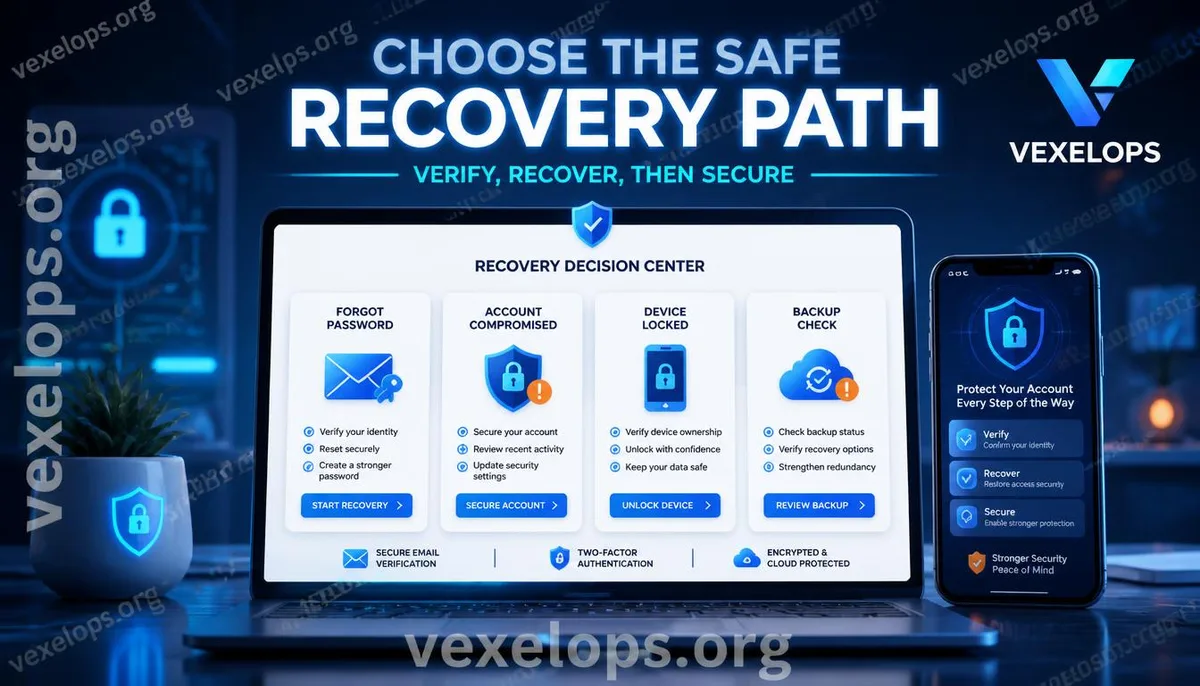
The official recovery process typically confirms whether you can still control the original email, phone number, or trusted device. Some platforms may request past passwords, account creation details, login environments, or other identity verification information. The issues can differ across platforms, so you should follow the options displayed on the official page at that time. If you can still log in, change to a new password that has never been used on other services, then check login activity, authorized apps, linked accounts, and two-factor authentication. If you can no longer log in, go directly to the official website or app to access the recovery entry point, avoiding clicking links provided by strangers. You can follow this order to manage your own account:
- Protect the email and phone number linked to the account.
- Access the platform's official recovery page, avoiding links from unknown cracking sources.
- Retain security notifications, login activity, and event timelines.
- Remove unknown devices and third-party permissions after successful recovery.
- Set different passwords for different services and enable two-factor authentication.
If you have questions about account recovery, you can contact VexelOps for assistance.
What Signals Indicate a Potential Scam in So-Called Password Recovery Services?
Faux cracking services often use terms like guaranteed success, completion in minutes, or handled by professional hackers to convince users that official processes are too slow or ineffective. They may then request full passwords, verification codes, backup codes, identity documents, remote control permissions, or advance payments. Real hackers are technicians with systems, programming, or network abilities; the term itself does not equate to crime. Scammers may use the name of cracking services to obtain money and personal information. Unauthorized login to someone else's account, viewing private messages, bypassing verifications, or extracting others' data is not legal password recovery. If you encounter any of the following, you should immediately cease communication:
- The other party guarantees they can crack all platforms or any account.
- The other party requests you to send verification codes, full passwords, or backup codes.
- The other party requests the installation of remote control software or access to your entire screen.
- The other party pressures you to pay while claiming the account will permanently disappear.
Do not assume that because they are using the platform logo, customer service number, or professional jargon, they are official personnel. The safest practice is to open the platform's official website yourself, starting the process from the official support entry.
After Successful Recovery, How to Establish a Long-Term Security Defense?
Regaining your account is just part of the recovery work, not the end. Attackers may leave unknown devices, third-party app permissions, linked accounts, or changed backup data. Simply changing the password without checking other entry points may allow the account to be taken over again. After recovery, check recent login activity, logged-in devices, third-party permissions, email forwarding, phone numbers, and enable two-factor authentication. New passwords should not duplicate those from other accounts, especially email, social platforms, cloud services, and payment platforms. Regularly verify that backup data is valid, retain sources of security notifications, and avoid entering login information on unfamiliar pages. If the account has been misused to post content or send messages, remind contacts not to click suspicious links, and retain event records.
Common Questions About Forgotten Passwords and Account Recovery
Why Is the Official Recovery Process Safer Than Cracking Tools When You Forget Your Password?
The official recovery process will confirm account ownership according to platform rules, typically using backup emails, phone numbers, trusted devices, or other security data. Third-party cracking tools may demand you surrender passwords, verification codes, or remote control permissions, which cannot ensure that your data will be handled safely. If you have already entered data on a suspicious page, immediately protect your email and associated accounts, change reused passwords, and check for unfamiliar login activity. Do not provide the new verification code to anyone claiming to be customer service.
Can I Recover My Account Without Backup Email or Phone?
Recovery depends on the platform's verification policy, account type, and any ownership data that can still be provided. Some platforms may use trusted devices, past login information, or other identity verification methods, but may also be unable to complete recovery due to insufficient data. Do not believe anyone claiming to be able to bypass platform verification. Use official support or complaint channels, prepare records of events that do not include passwords and one-time verification codes, and first protect other services linked to the account.
After Recovery, Why Should I Check Other Devices and Third-Party Permissions?
Because attackers may not only change the password but could also leave logged-in devices, third-party apps, linked accounts, or backup data. If these entry points persist, the account might experience irregularities again post-recovery. After recovery, check login activities, remove unknown devices, revoke suspicious permissions, confirm email and phone numbers, and enable two-factor authentication. The naming of configurations may vary across platforms, so refer to the latest official instructions.
One Key Takeaway: First determine the type of problem, then follow the official recovery process and protect your account.