
Invisible Schedule Intruders: The Rise of Calendar Scams
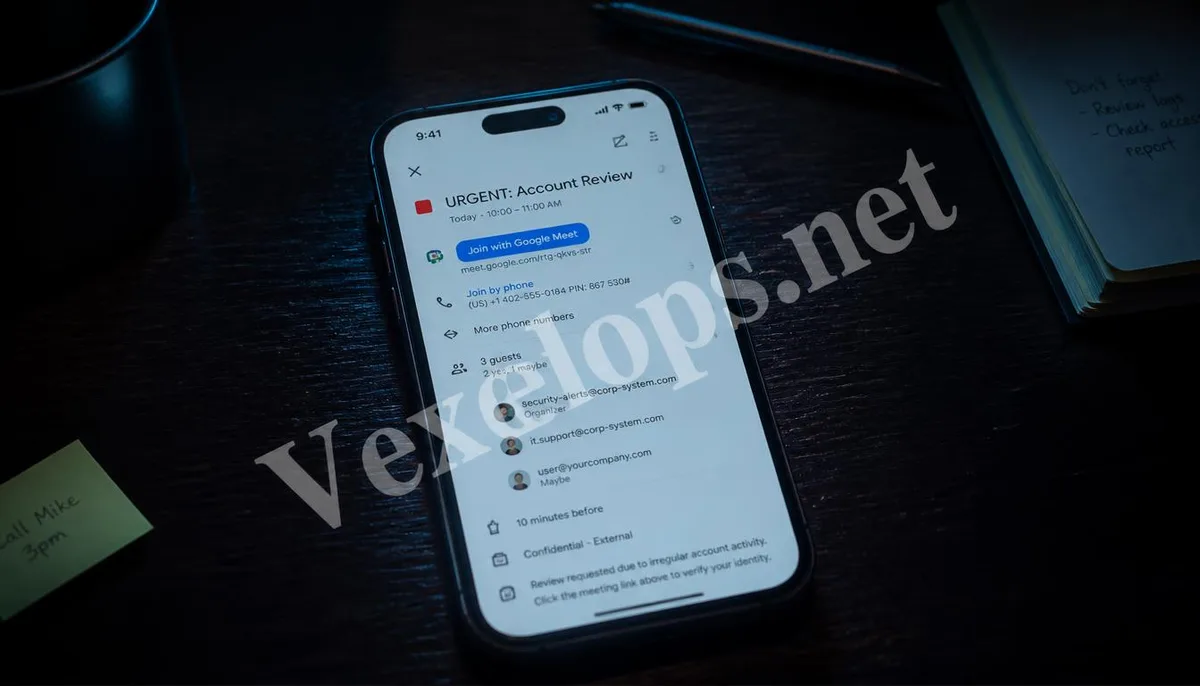
In everyday office work, we tend to rely on Google Calendar to manage our schedules. To enhance efficiency, the system is usually set to automatically add received meeting invitations to the calendar. Scammers have exploited this "convenience vulnerability," starting to send malicious invites on a large scale. These invitations often disguise themselves as important interview notices, prize collections, or urgent financial reviews, and include seemingly legitimate video conference links in their notes. This type of attack is dangerous because it perfectly bypasses traditional Gmail spam filters. Since the invitations are sent through Google's own calendar system, notifications are pushed directly to users' mobile or computer screens, lending a high level of credibility.
- High visual deception: The notification appearance is identical to a normal colleague's invitation.
- Bypasses email defenses: Directly written into the schedule without going through the inbox.
- Triggers anxiety clicks: Using impending meeting times to create psychological pressure.
The Logic of Malicious Link Harvesting: From Clicks to Lost Permissions
When users click on the link in the invitation out of curiosity or anxiety, they are typically directed to a fake login page, such as a counterfeit Google Meet or Zoom interface. The system will ask you to input your account password to join the meeting, which is the most typical credential theft process. In some more advanced attacks, clicking the link may even trigger browser scripts that silently download malware in the background. To defend against this insidious threat, users need to establish a quick risk identification habit. When handling any calendar invitations, please ensure to perform the following checks:
- Check if the sender's address is familiar.
- Examine if the URLs in the notes contain spelling errors.
- Watch for strong temptations or threatening phrases in the invitation title.
These simple actions can effectively block most phishing attempts. Scammers target those who lose vigilance while busy, so maintaining a calm judgment is the first step to defense.
Closing System Backdoors: Privacy Fortification Practices for Google Accounts
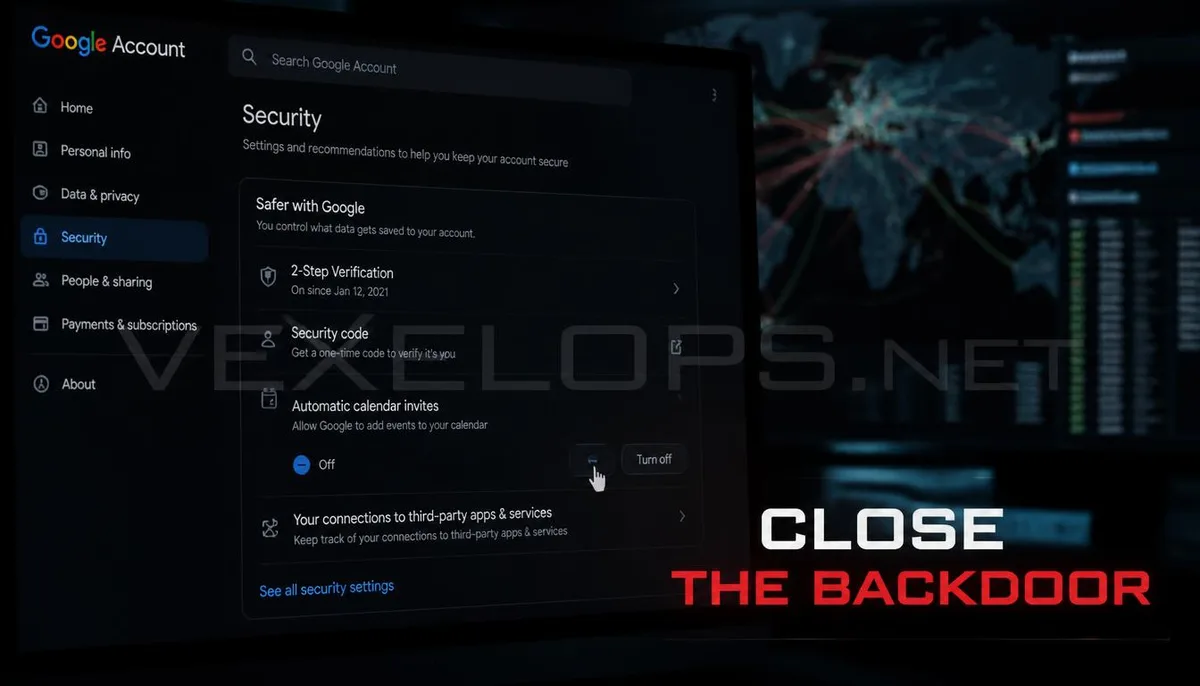
To completely eradicate the nuisance of calendar scams, the most effective method is to change the default settings of Google Calendar. Users should go into the calendar settings menu and change the "Automatically add invitations to my calendar" option to "Only add after responding." This way, all unsolicited invitations will not appear directly on the schedule, cutting off the exposure to scam information at the source. Additionally, regularly reviewing third-party app permissions for your Google account is equally important. Sometimes, malicious invitations may not be sent from external sources but rather due to users inadvertently granting permissions to a malicious calendar management app, allowing it to write into the schedule. Ensuring the cleanliness of the account environment is key to maintaining order in digital life.
Professional Technical Interventions: Tracking and Blocking Hidden Connection Threats
If you frequently encounter abnormal invites in your calendar and suspect your account permissions have been compromised, merely changing settings may not suffice. At this stage, VexelOps' professional technical team can provide you with in-depth audits of your account environment. We assist you in scanning for hidden API permissions and tracking the IP and domains sending malicious invites. Through professional traffic analysis, we can identify whether sensitive data is being sent out via background connections. If your email or password has circulated on the dark web, we will also provide real-time alerts and assist you in comprehensive identity fortification. Our goal is not only to clean up the immediate junk invitations but also to establish a long-term security firewall for your Google account.
Frequently Asked Questions about Google Calendar Scams
Why are there suddenly various prize and meeting notifications filling my calendar?
This is usually because your email address has been added to a scammer's mailing list. When they purchase large volumes of leaked email data on the dark web, they use automated scripts to send bulk calendar invitations. Since Google Calendar's default mechanism allows anyone to send you invites that automatically display on your calendar, this junk information will occupy your schedule without obstruction. This doesn't necessarily mean your account has been hacked, but it's definitely a warning that reminds you to change the privacy settings of your calendar immediately.
What should I do if I accidentally clicked on a link in the invitation?
If you only clicked on the link but didn't input any account passwords on the subsequent webpage, the risk is relatively low. However, for safety's sake, you should immediately close that webpage and clear your browser cache and cookies. If you have already entered your password, be sure to go to the Google Account Security Center as soon as possible to change your password and force logout from all connected devices. At the same time, it is strongly recommended to enable hardware security keys or verification apps as two-factor authentication to prevent scammers from using the freshly stolen password for remote logins.
If I delete the invitation or click 'Decline', will the scammers know I'm a real person?
Yes, this is another trap of calendar scams. When you click 'Decline' or reply to an invitation in the calendar, the system automatically sends a notification email to the sender. This effectively communicates to the scammers, "This email account is active and being used." Once they confirm this, you may receive more targeted phishing emails or texts in the future. The correct way to handle this is to not respond to any options but directly go to settings to turn off the auto-join feature and mark the invitation as spam.
One Key Takeaway: Google Calendar scams exploit the system's auto-join mechanism. Please immediately change settings to 'Only add after responding' and refrain from clicking any unknown meeting links to safeguard your account and personal data.